Correctly adjusting your office chair height can significantly reduce strain on your back. An unsuitable posture can cause us to slouch, lean forward, and improperly position our hands while typing. These issues can lead to discomfort and even temporary incapacity if not addressed. Fortunately, just a few simple steps can help you avoid these consequences. Using the height adjustment lever, you can set your chair to a comfortable position.
Adjusting Your Office Chair Height
Step 1: Locate the adjustment lever.
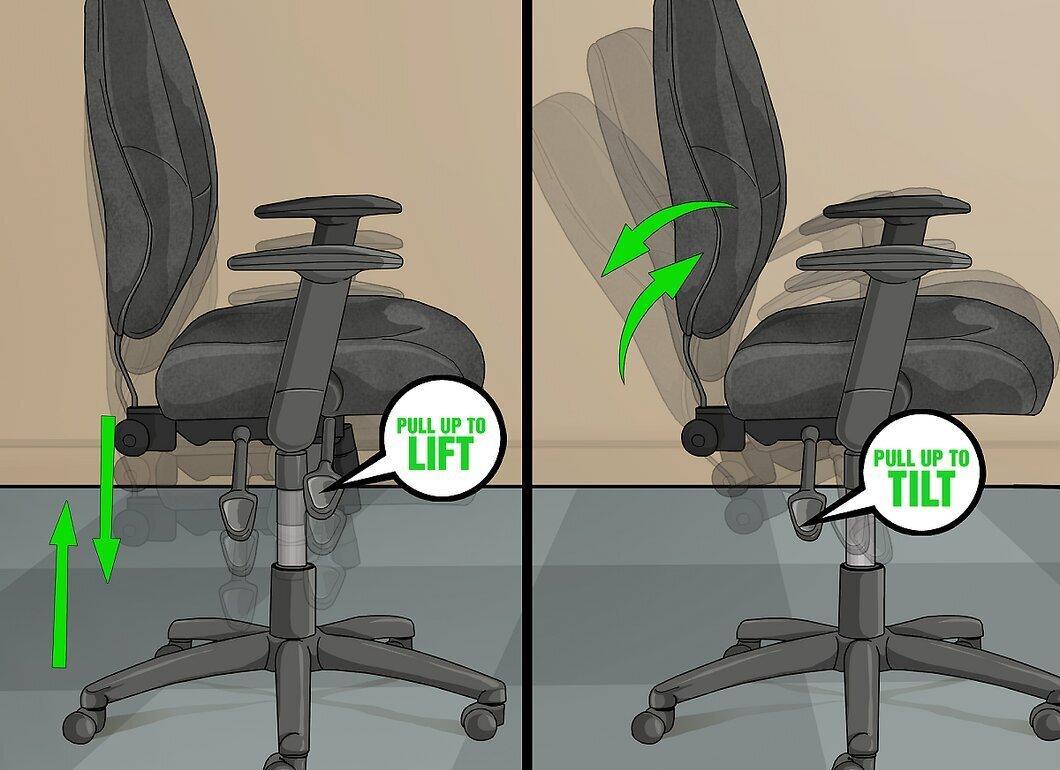
First, find the lever for adjustment. It is usually located beneath the seat, connecting it to the base. Some chairs may have multiple levers for different adjustments, such as changing height or the tilt angle of the backrest. To adjust the height while sitting in the chair, pull the appropriate lever upward.
- In some models, there may be a rotating mechanism instead of a lever.
- If you are unsure which lever controls the height, refer to the manual or try to locate it on your own.
Step 2: Raise and lower the seat to a comfortable level.
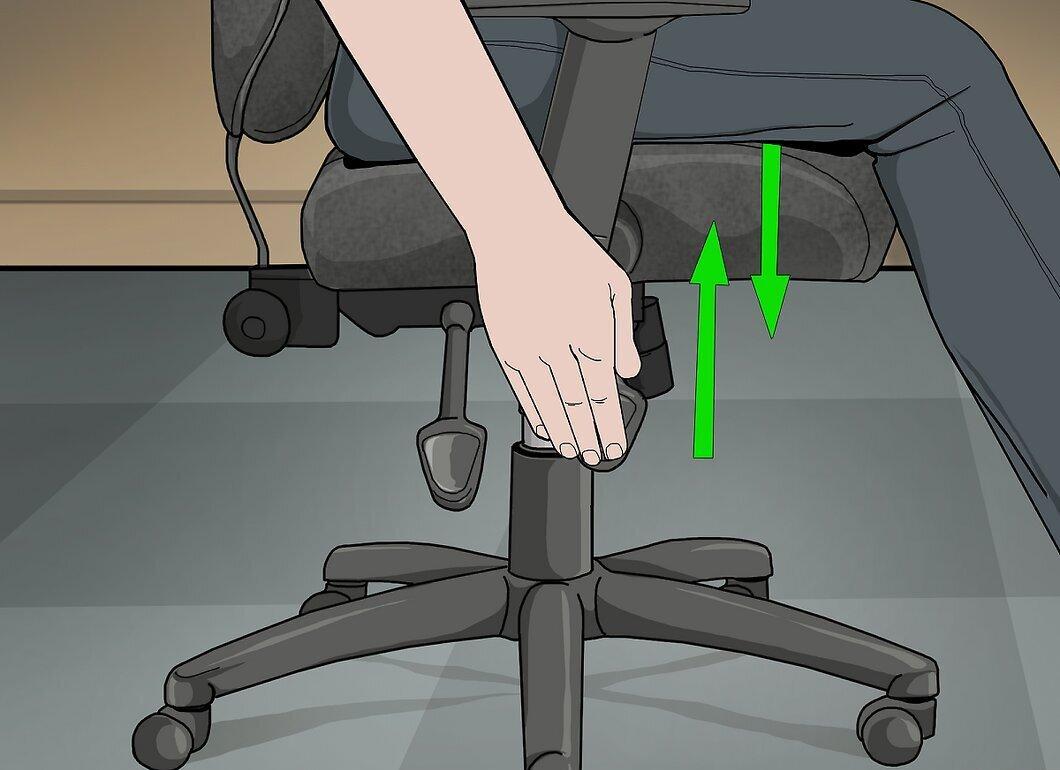
Adjust the seat height until it feels comfortable. For most chairs, when you pull the lever, the seat will rise (without weight) or lower (with weight). Keep adjusting until you find the optimal position for yourself. Do this gradually, changing the height by a few centimeters at a time. Once you're done, release the lever.
- In some models, you need to pull the lever up to raise the seat and press down to lower it.
- In pneumatic chairs, you might need to "pump" the lever by pressing it up or down to achieve the desired height.
Step 3: Try adjusting the chair while standing if sitting doesn’t work.
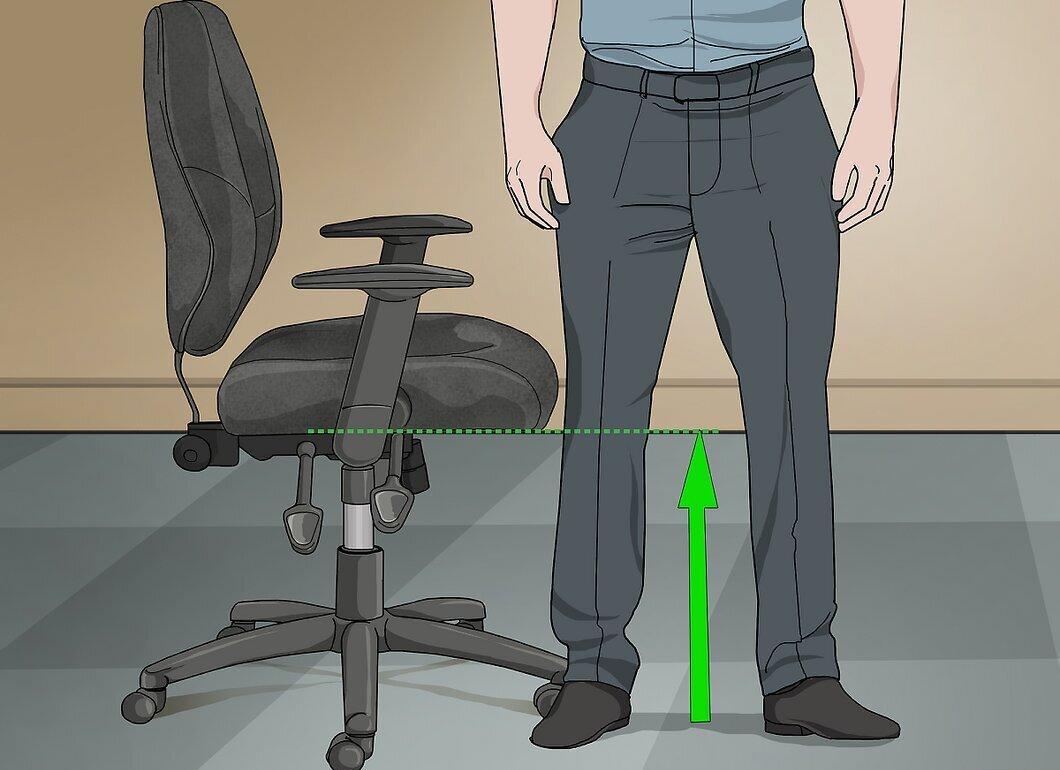
If you can't adjust the height while sitting, try doing it while standing. Raise or lower the seat until its edge is at kneecap level. This way, your feet will comfortably rest on the floor.
How to Determine the Right Chair Height for Work
Step 1: Ensure your eyes are level with the monitor.
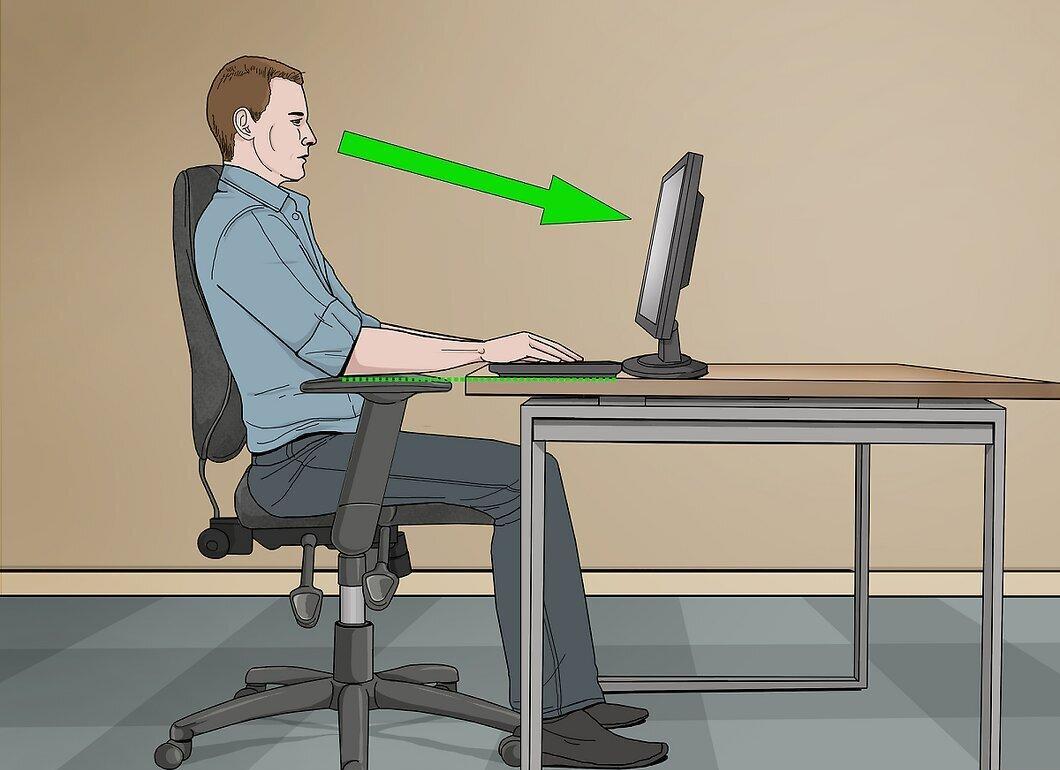
When working at a computer, your eyes should be at monitor level. Ideally, the screen should be slightly below eye level, with the keyboard at elbow height. If you can't raise or lower the monitor, adjust your chair to reach the right level.
Step 2: Keep your elbows at desk level.
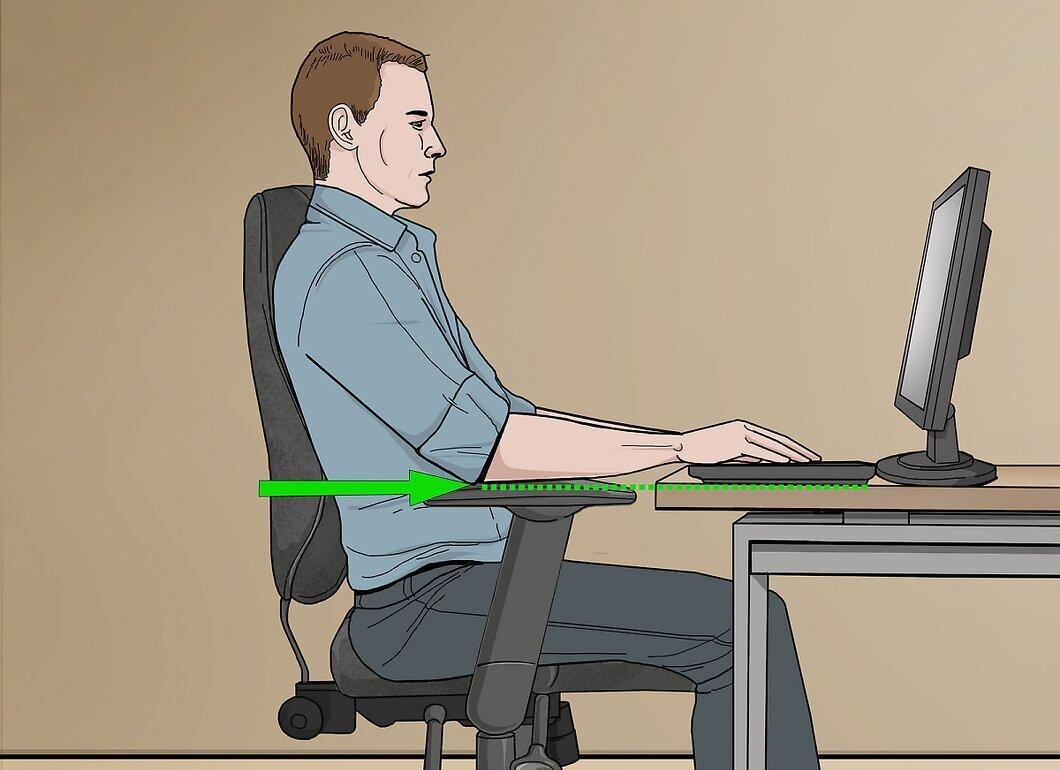
Make sure your elbows are at desk level while working. This applies to activities like reading, writing, or drawing. Adjust the chair height so that your elbows and arms can comfortably rest on the desk.
Step 3: Feet should rest flat on the floor during extended sitting.
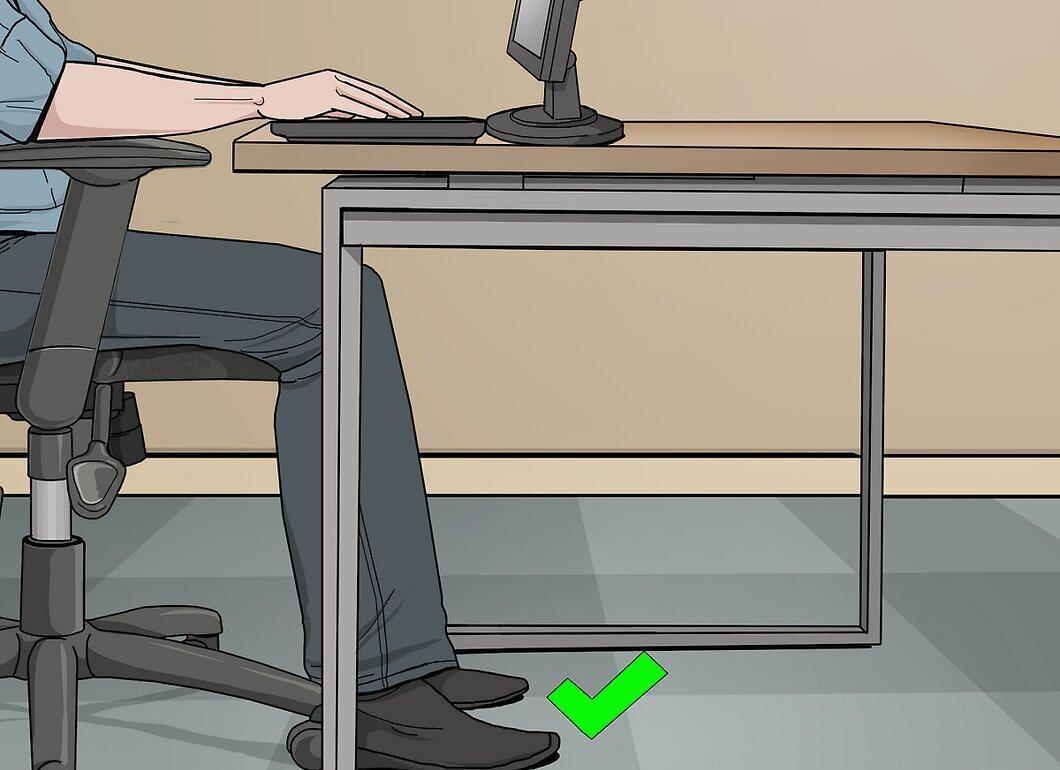
Ensure your feet are flat on the floor if you will be sitting in the chair for long periods. For instance, this is particularly important during meetings. Adjust the chair height so that your feet are on the floor and comfortable.
Enhancing Safety and Comfort
Step 1: Adjust the armrest height (if available).
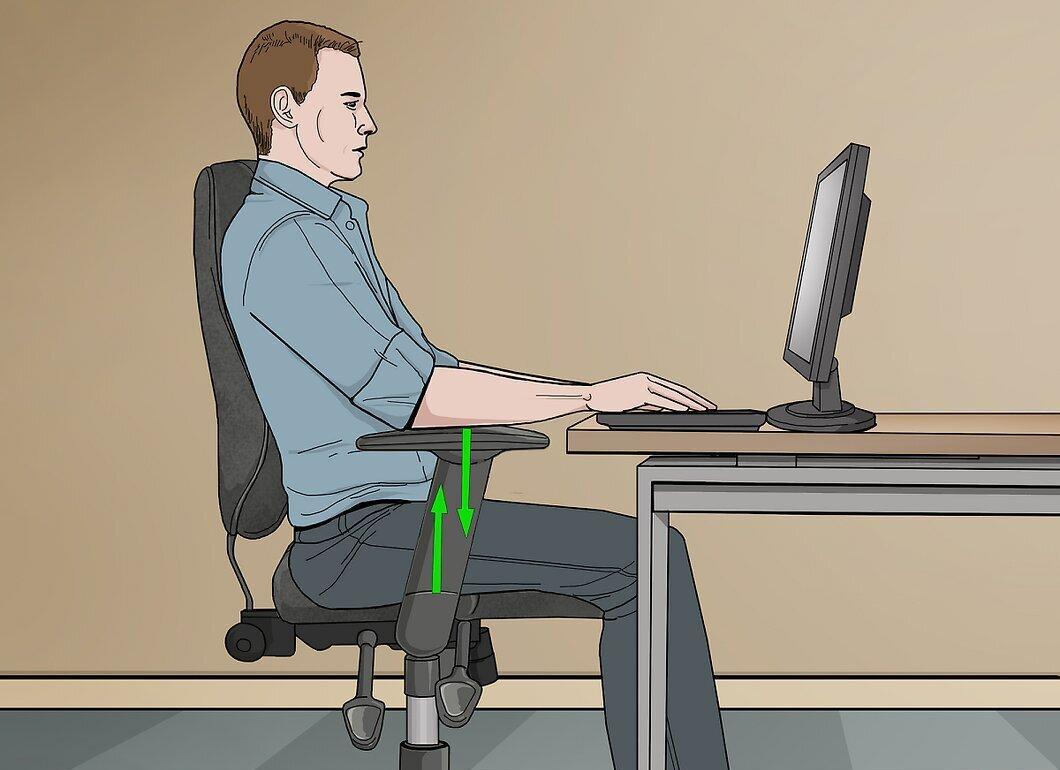
If your chair has armrests, adjust their height. When typing or working at the desk, raise the armrests to desk level for comfortable arm support. If support isn't needed, you can lower or remove the armrests so they don't get in the way.
- Lower or remove the armrests if they obstruct your knees from comfortably fitting under the desk.
Step 2: Change positions every 15 minutes.
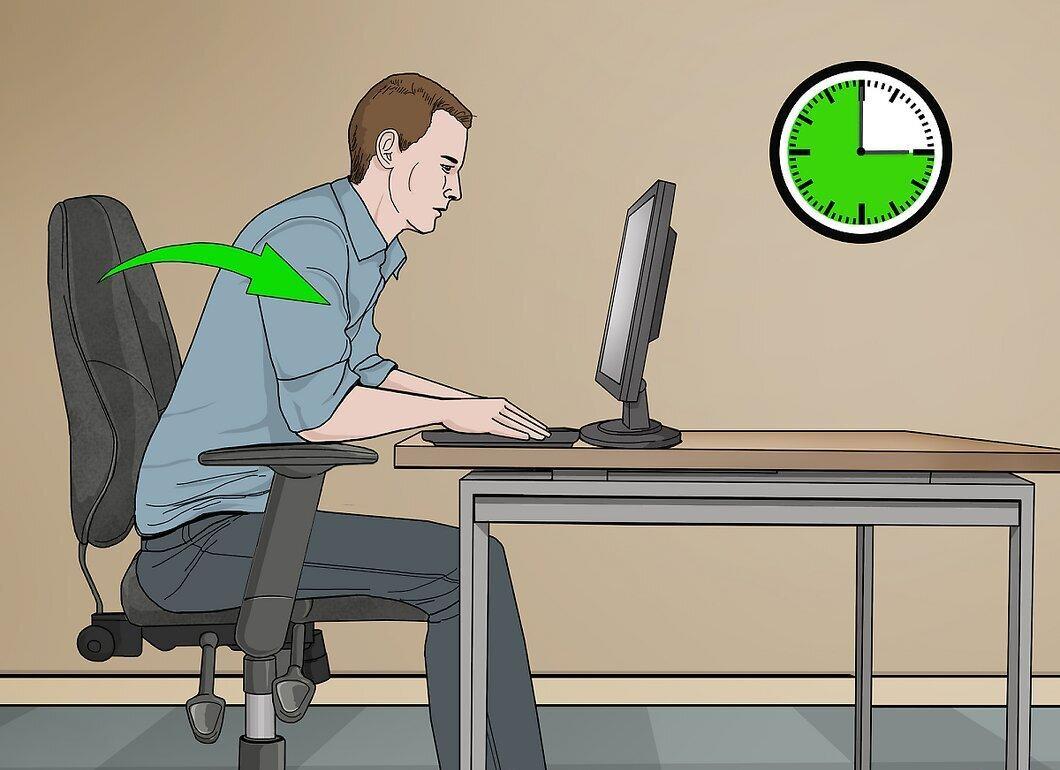
Regularly change your position every 15 minutes to avoid strain and other issues. If there's no need to adjust the chair height for your work, simply change your posture. For example, you can lean forward slightly and then return to the original position. You can also shift your weight from one side of the chair to the other.
Step 3: Get a footrest if the chair is too high.
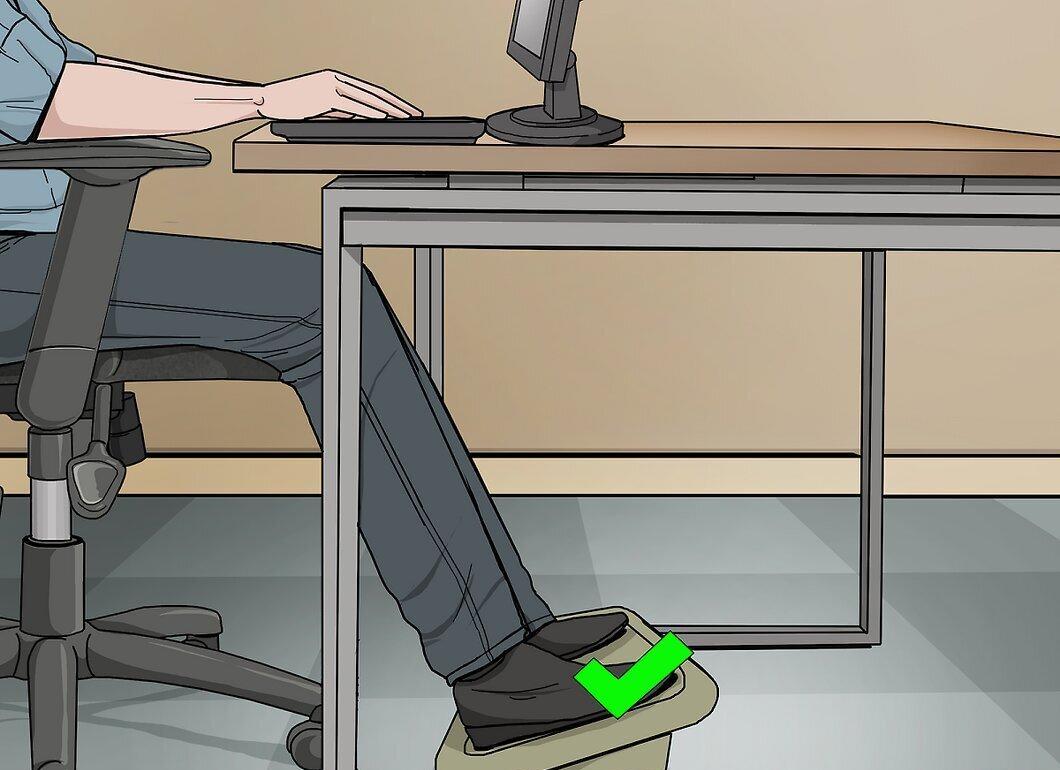
If your chair is too high and you can’t lower it to the right level, consider getting a footrest. This will help you comfortably place your feet on the rest while they don’t touch the floor.
- Footrests are available at office furniture stores and often come with adjustable height options.