TripAdvisor is a unique resource for travel enthusiasts, compiling reviews on a wide range of destinations, hotels, restaurants, and attractions. If you've visited an interesting place and want to share your impressions and tips with other travelers, you should write a review. In this article, we will guide you on how to do it.
Part 1
Step 1: Go to the TripAdvisor website.
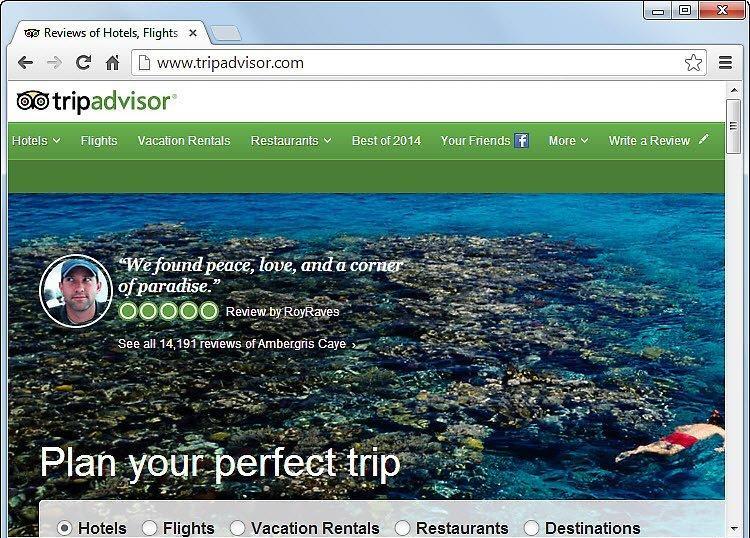
Start by visiting the TripAdvisor homepage. Once you are on the site, find and click on the "Write a Review" tab. Note: To leave a review, you need to create an account or log in via Facebook. This information will only be available after you begin the writing process.
Step 2: Find the place you want to review.
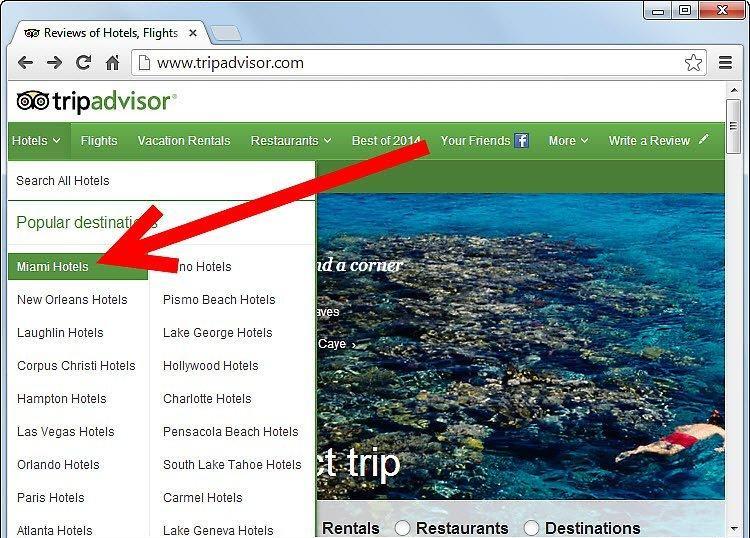
Select the location you want to write a review about. This could be a hotel, tourist attraction, restaurant, or vacation home. Use keywords in the search bar to find it, and then click on "Write a Review."
- If you can't find the establishment you’re looking for, you may have misspelled the name, or it might not be listed on the site. If that's the case, report it to TripAdvisor, and you will be notified when the review is accepted.
- Don’t forget to register to contact TripAdvisor.
Step 3: Rate the place you visited.
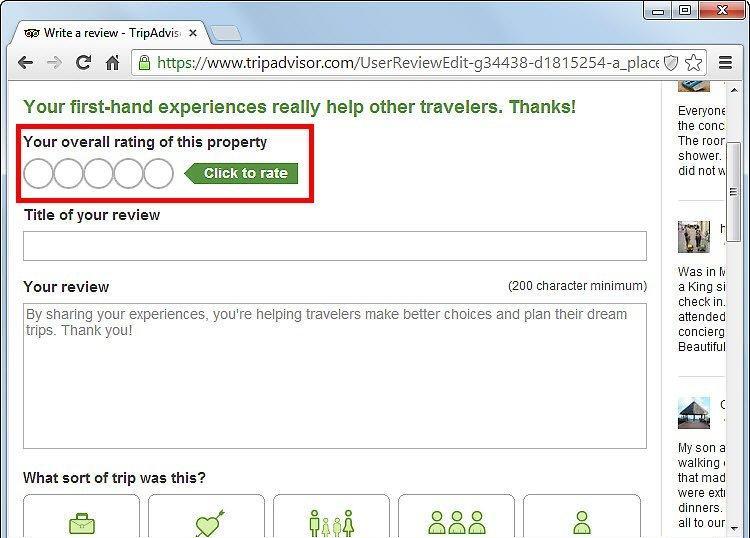
Rate the place you visited. What was your overall impression: positive, negative, or neutral? For example, you might have liked the room at the Hyatt Santa Barbara Hotel, but the services may not have met your expectations. Share this information in your rating on TripAdvisor.
- 1 star — Terrible
- 2 stars — Poor
- 3 stars — Average
- 4 stars — Very good
- 5 stars — Excellent
- You can set your rating by clicking on the circles under "Your overall rating of this establishment."
Step 4: Create a title for your review.
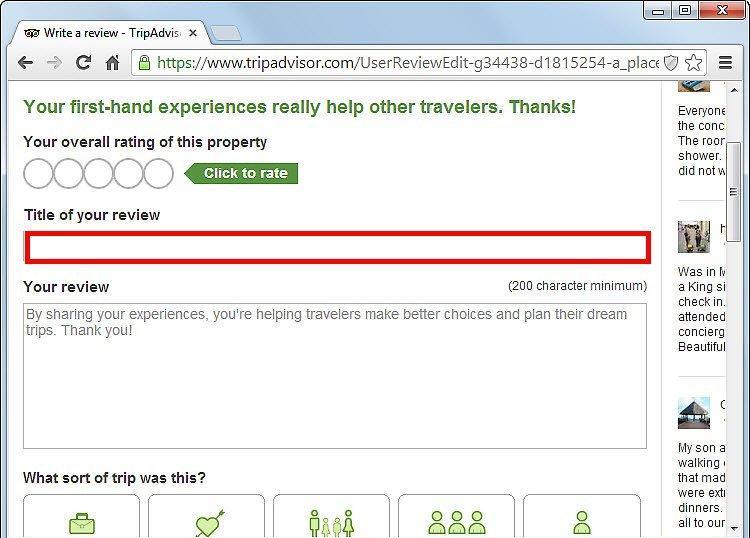
Craft a title for your review that succinctly reflects your experience. You can add details about the place you visited. For example, instead of "It was awful," write "Terrible service and sleepless nights." Such a title will help other travelers quickly grasp the essence of your review.
Step 5: Write your review.
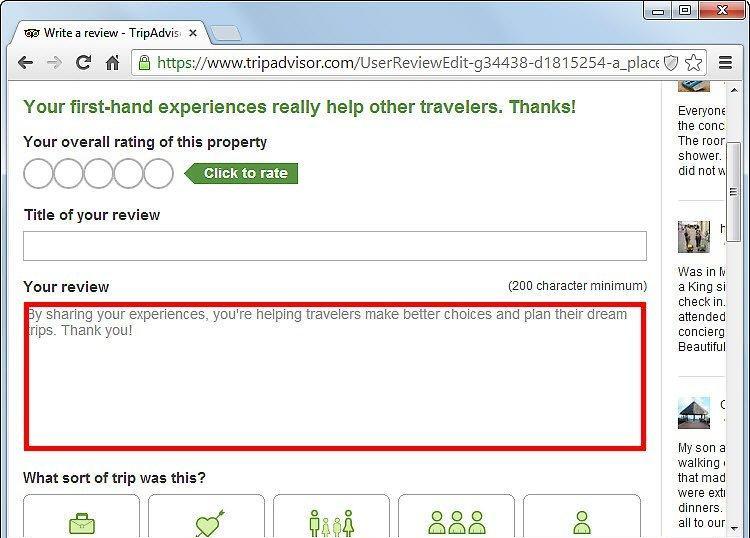
Describe your experience. Start with who you traveled with and why. Then detail your trip, evaluating the quality of services, prices, and offerings. Don’t forget to mention what you liked about the hotel, which attractions you visited, and how you enjoyed the menu at the restaurant. Share what you did on-site — this is exactly what interests other travelers.
- Try not to delve into unnecessary details. Readers will be more interested in the place you are writing about.
Step 6: Specify the purpose of your trip.
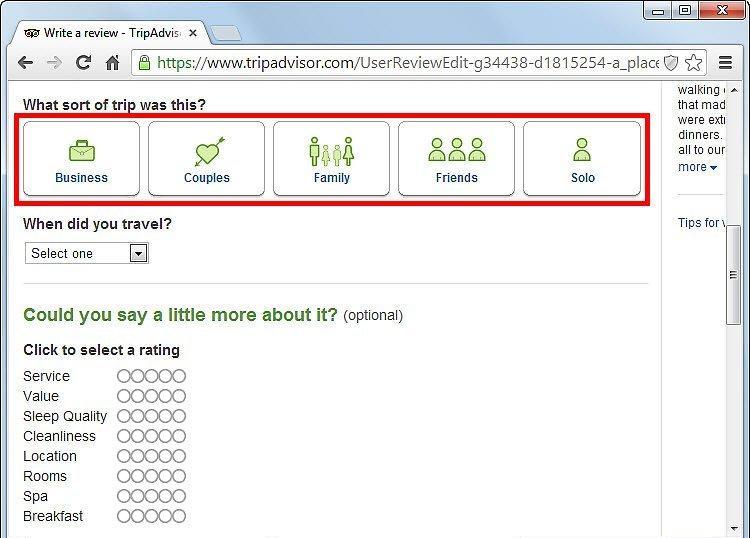
Identify the main purpose of your trip. Did you travel with family, for business, or alone? Choose one of the options under "What was the purpose of your trip?" Available options: "Business trip," "Couples," "Family," "Friends," and "Solo trip."
Step 7: Enter your travel dates.
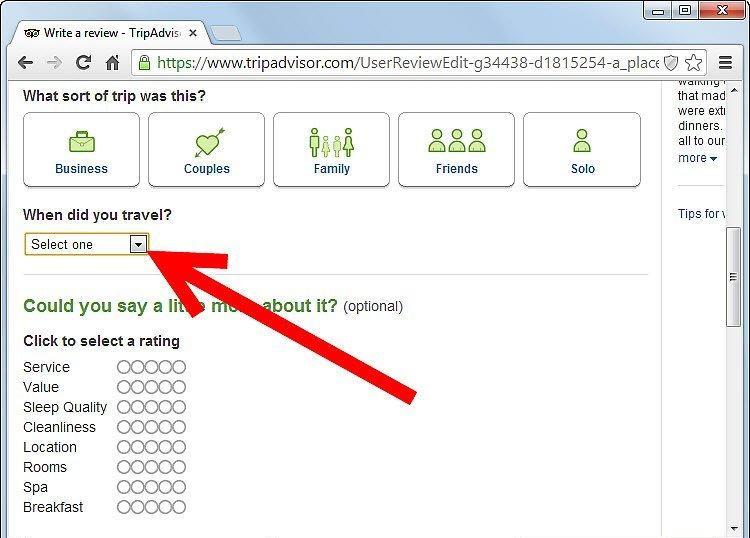
Don’t forget to specify your travel dates. Readers will be interested to know when you were there. Use the corresponding date selection field for this.
Step 8: Provide additional aspects of your trip.
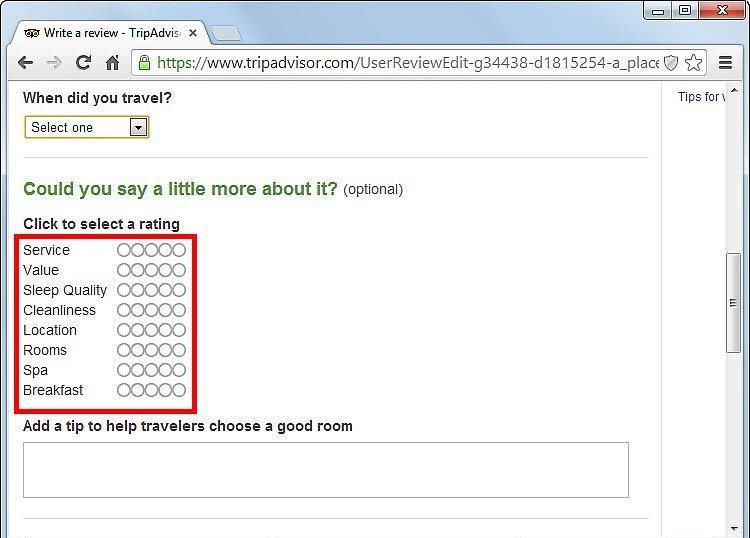
Add information about other aspects of your trip. This will help you form a detailed evaluation of various moments of your vacation. Simply click on the circles under "Can you tell a little more about this? (Optional)."
Step 9: Submit your review.
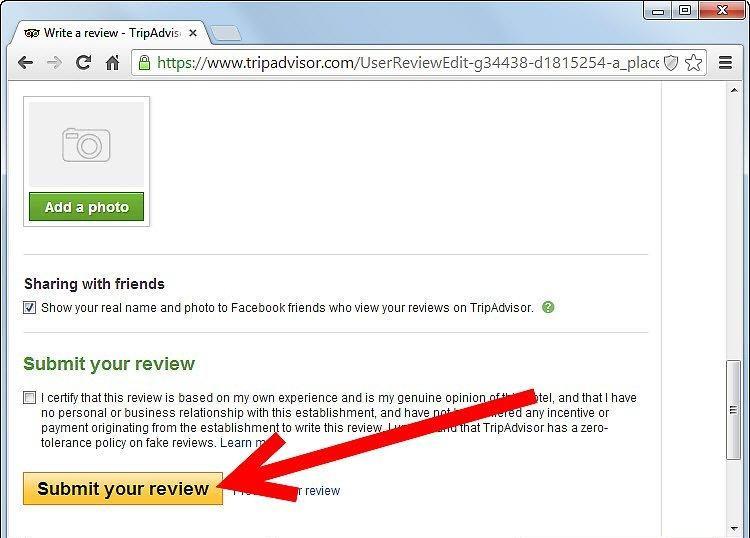
When everything is ready, click on the "Submit your review" button. If you want to preview the text, use the "Preview your review" button.
- Don’t forget to confirm that you understand TripAdvisor does not support fake reviews. False information may lead to trouble.
- You must be at least 13 years old, and you need an account to submit a review. If you don’t have one, register by clicking on "Sign up" and following the instructions on the site.