MoneyGram is a straightforward and efficient method for transferring money between two parties. Users can send and receive funds through agents in various countries, as well as via online services or regular mail. A key feature of MoneyGram is the ability to track transfers, ensuring safety for both the sender and the recipient.
How to Track a Transfer as a Sender
Step 1. Log into your account and check your transaction history.
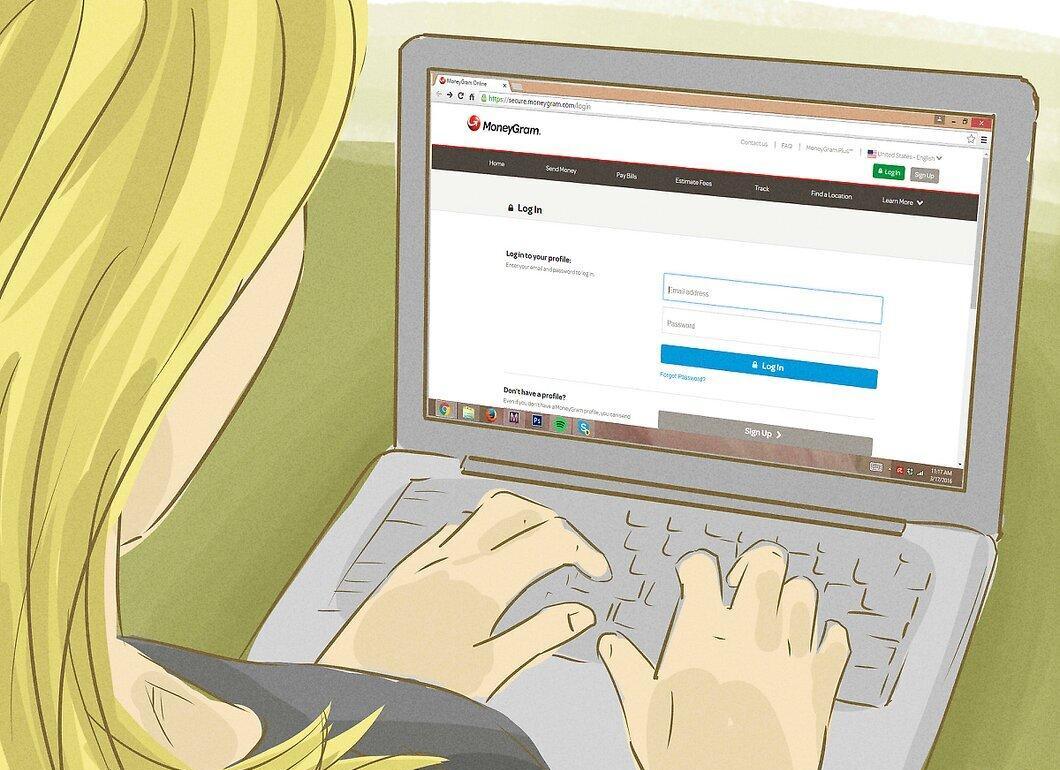
Go to your account and review your transaction history. This is convenient for those who have sent money online through MoneyGram.
- Visit the MoneyGram homepage and log in.
- Find the transaction history section and locate the information about your payment to check its status.
- This is a basic tracking method, but there is also a "Track a Transfer" feature available.
Step 2. Use the "Track a Transfer" option.
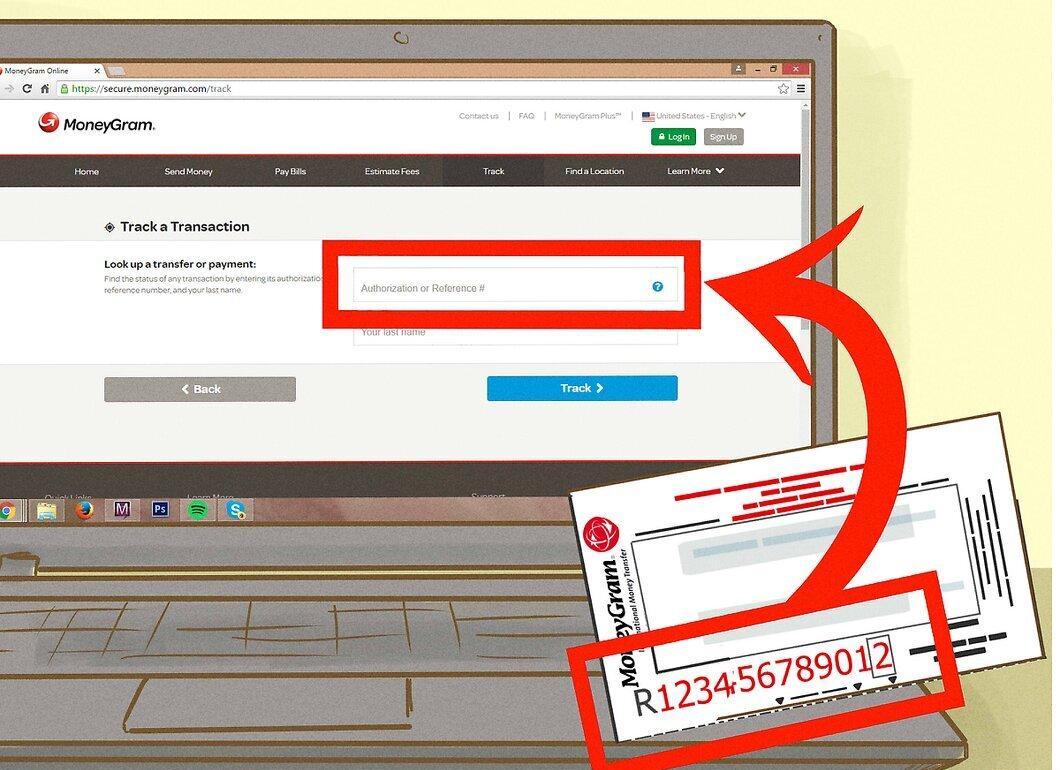
Select the "Track a Transfer" feature. You will need the authorization number or the original transfer number for this.
- Locate this number on your receipt or other documentation confirming the transfer.
- If you used a mail transfer, you will need the 11-digit number (large red digits on the form you fill out for the recipient).
- Enter your last name and click the "Track Transfer" button.
- If these steps do not help, consider reaching out to customer support.
Step 3. Call MoneyGram customer support.
Contact MoneyGram customer support to verify if the transfer has been cashed.
- Call the toll-free number: 1-800-542-3590.
- Provide the original transfer number and the amount sent.
- If the money has not been cashed, give the recipient some time—wait 2-3 weeks, especially if the transfer was sent to a company account. If more time has passed, fill out a "Claim Card" form.
Step 4. Fill out a "Claim Card" form.
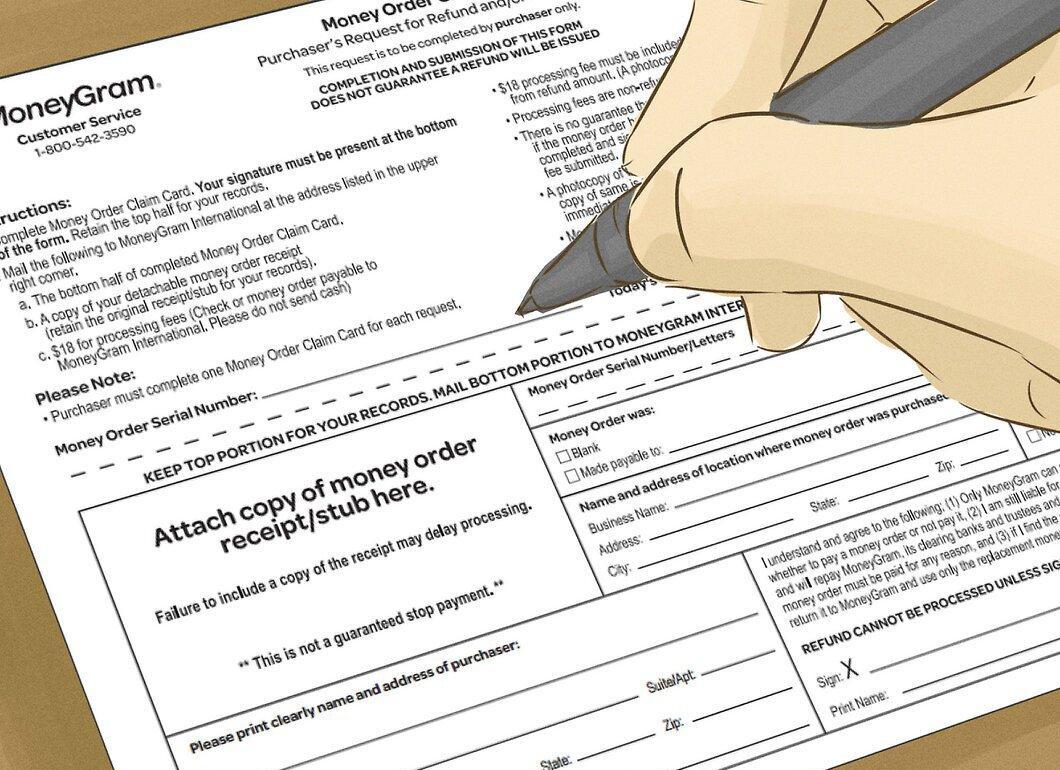
Complete a "Claim Card" form if the transfer was lost. This form can be found on the MoneyGram website.
- Download and print the document, carefully filling in all fields, especially the original number from the receipt.
- Pay $15 for processing fees.
- Don’t forget to include copies of receipts, order number, and transfer amount.
- If the transfer was cashed, you will receive a copy of the report; if not, you will be refunded by check.
- If you do not have the original number, fill out the "Number Search" form.
Step 5. Contact MoneyGram support.

If the previous steps did not help, reach out to MoneyGram support.
- Visit the nearest MoneyGram office where you sent the transfer. Note that some representatives may not have direct access to the system.
- Call 1-800-Moneygram (1-800-666-3947) or 1-800-955-7777 for Spanish assistance.
- For online support, use the contact form, providing your contact details and transfer information.
How to Track a Transfer as a Recipient
Step 1. Use the "Track a Transfer" feature for online transfers.
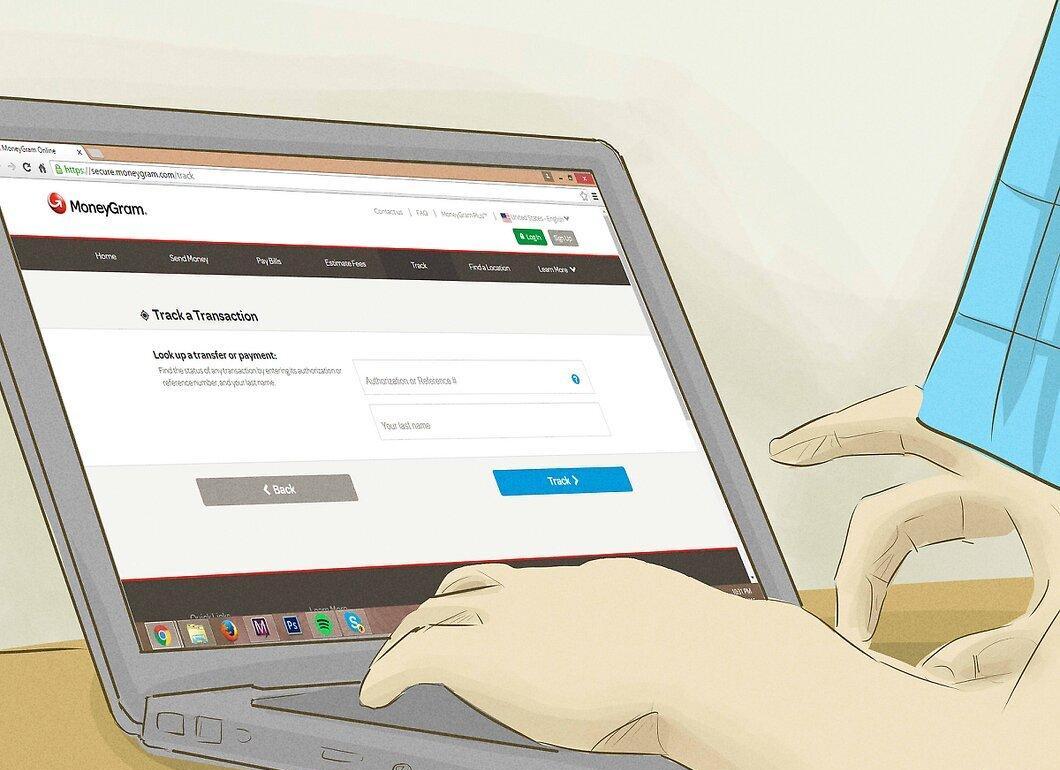
To track online transfers, use the "Track a Transfer" feature. Ask the sender for the original transfer number.
- This will allow you to check the transfer status without needing a MoneyGram account.
- Enter your last name and click "Track Transfer."
Step 2. Visit your local MoneyGram office.

If you are expecting a mail transfer, visit your local MoneyGram office to check the status.
- Transfers may be directed to specific addresses or MoneyGram locations.
- If it has been less than two weeks, the transfer may still be in the mail. If the delay exceeds 2-3 weeks, the sender should fill out a claim form.
Step 3. Call MoneyGram customer service.

As a recipient, you can contact MoneyGram if the transfer is lost.
- Ensure you have the original transfer number and amount.
- Call 1-800-Moneygram (1-800-666-3947) or 1-800-955-7777 for Spanish assistance.
- You can also use the online form, filling in as much information about the transfer as possible.
Step 4. Be aware of potential delays at financial institutions.

Sometimes delays can occur at banks for various reasons, including currency conversion.
- For example, if the transfer was sent through your bank, it may be delayed while processing.
- For international transfers, currency conversion may take additional days.
Step 5. Contact the sender.

If the transfer has not been cashed for a long time, the sender should fill out a claim form.
- Ensure the transfer hasn’t been lost in transit and that the sender didn’t send it to a different MoneyGram location.
- If you are sure the transfer is lost, ask the sender to file a claim for a refund and consider other transfer options.
Requesting Information on Old Money Transfers
Step 1. Obtain a copy of your transaction history.
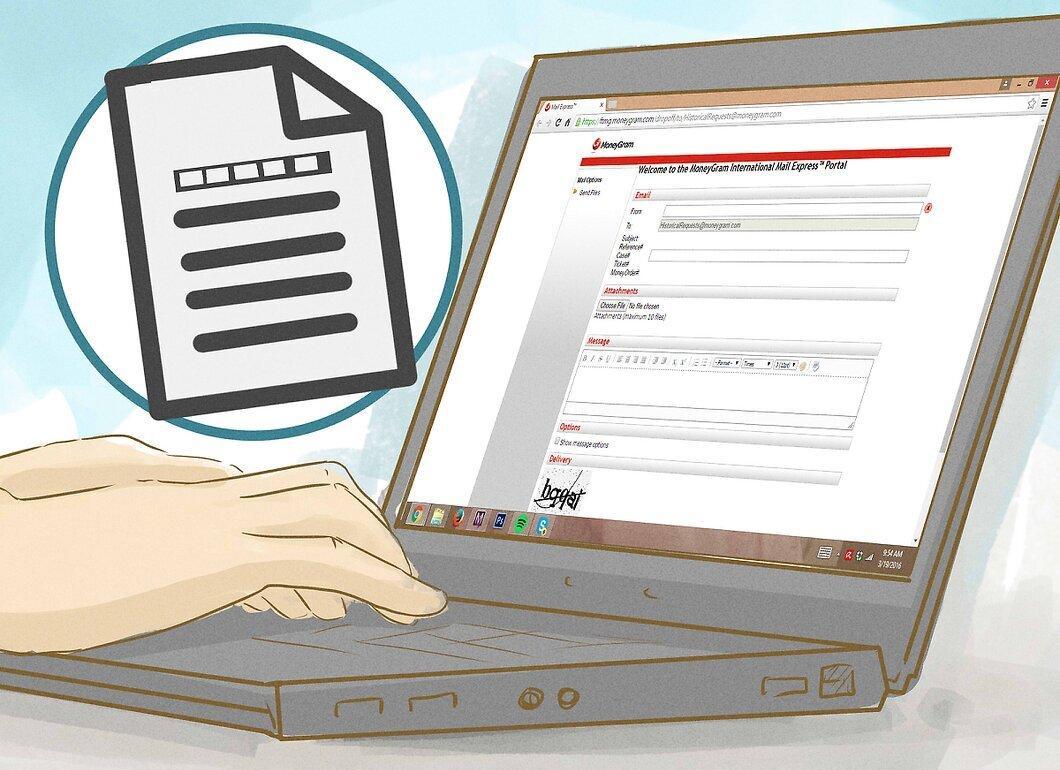
Request transaction information for the last 1-10 years for a specific fee. This can be done by the sender, receiver, or a third party. The form can be found on the MoneyGram website under the "Money Order" section.
- Fill out the form, including all necessary documents.
- For requests for information up to 1 year — $25, for 2-3 years — $50, for 4-5 years — $75, and for 6-10 years — $100.
- Pay for the service on the website or at a MoneyGram representative and receive the original number.
Step 2. Provide the names of the sender and recipient.
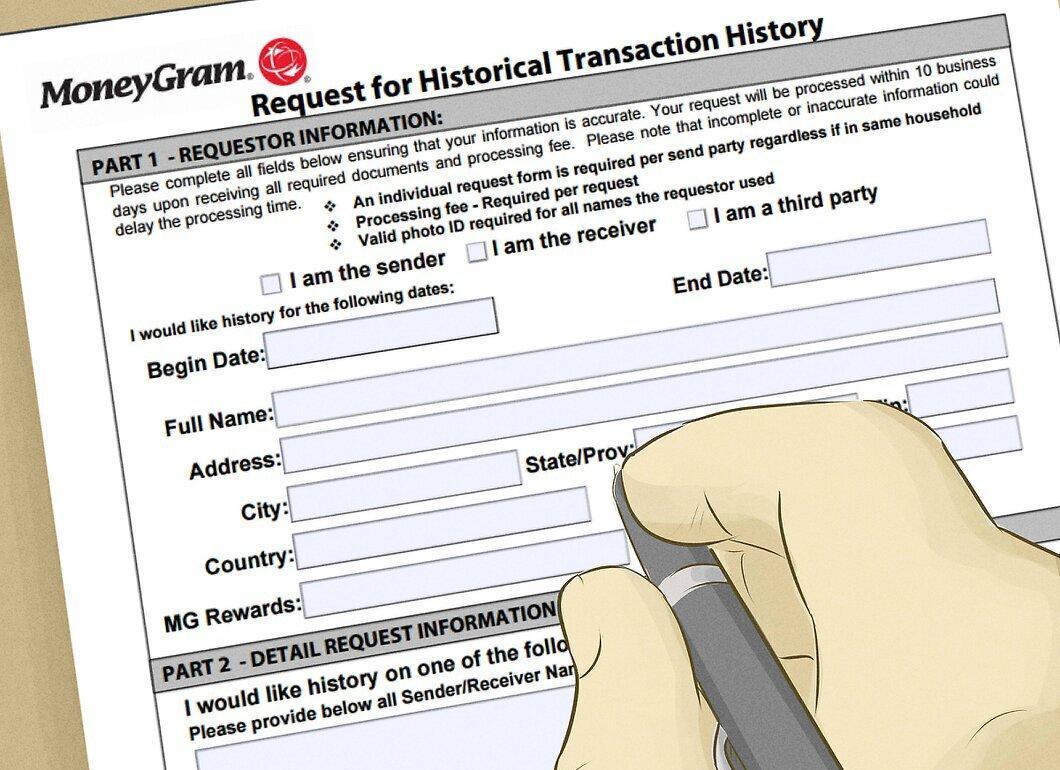
Fill in the names of the sender and recipient for each transfer you are requesting information about.
- Include all previous phone numbers and addresses.
- If you are a third party, attach documents to prove your relationship with the sender or recipient.
Step 3. Attach identity verification documents.
Attach a photocopy of the sender's, recipient's, or third party's passport to the form.
- Documents can be sent to: historicaltrnx@moneygram.com or faxed to special numbers.
Step 4. Contact MoneyGram representatives for further information.

If you need additional information, reach out to MoneyGram representatives. The transaction archive contains basic information, but a subpoena may be required for signatures or detailed receipts.