This guide will walk you through the essential steps to create a PayPal account. PayPal is the preferred payment method on eBay, so if you're looking to buy or sell anything on eBay, you should definitely set up a PayPal account.
Part 1
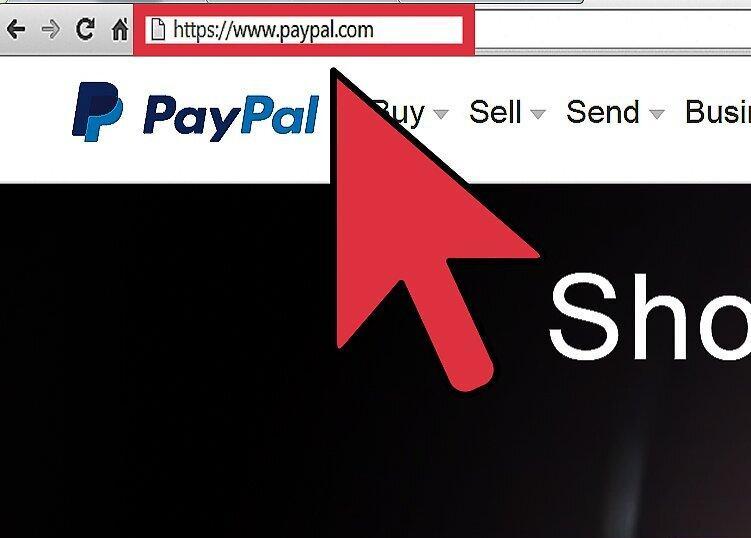
Step 1: Visit the PayPal website.
Step 2: Click on the "Sign Up" button.
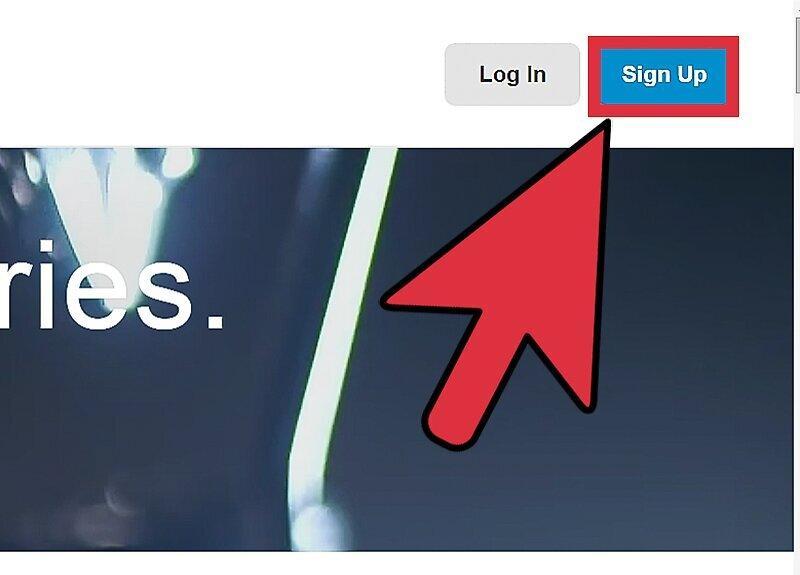
Click on the "Sign Up" button. The link is located on the homepage at the top right corner.
Step 3: Select your country and language.
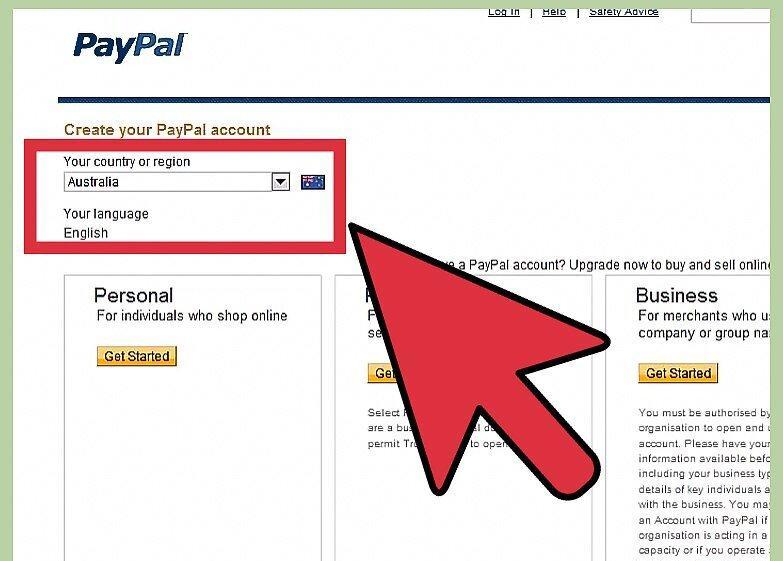
Step 4: Choose the type of account you need.
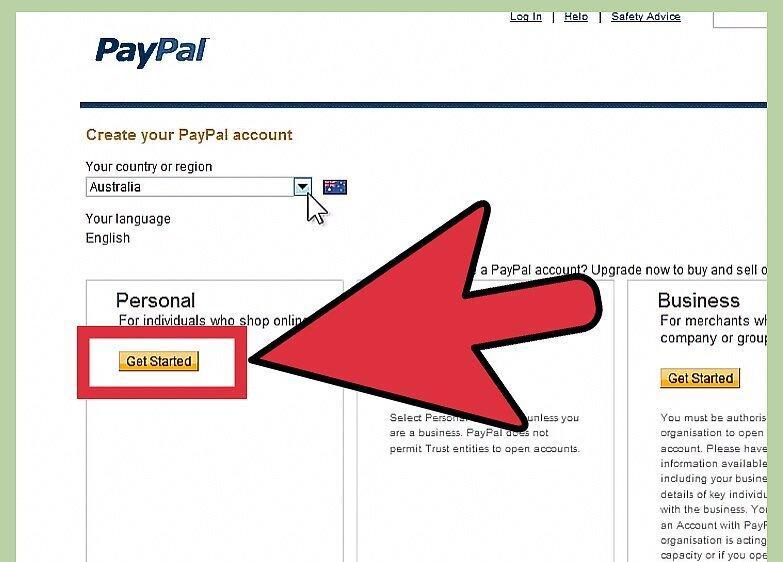
Choose the type of account that fits your needs. Different account types have different fees and benefits. Click on "Get Started" below your selected account type.
- Business accounts come in three types, each with its own pricing and benefits: Standard — free, but the customer pays the purchase on the PayPal site.
- Advanced — about 170 rubles per month, allowing customers to pay directly on your site.
- Professional — about 1000 rubles per month; you have full control over the payment process.
Step 5: Enter your contact information and password as prompted by PayPal.
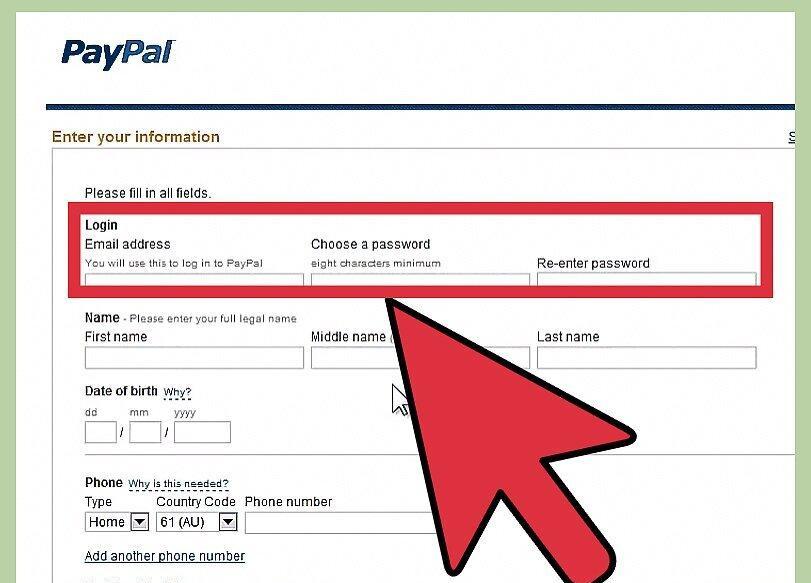
Enter your contact information and password as instructed by PayPal. Use your current email address to facilitate password recovery if needed.
- Your password must be at least eight characters long. Keep your password in a safe place to avoid forgetting it (forgotten passwords can be recovered).
Step 6: Answer the security question (Security Challenge).
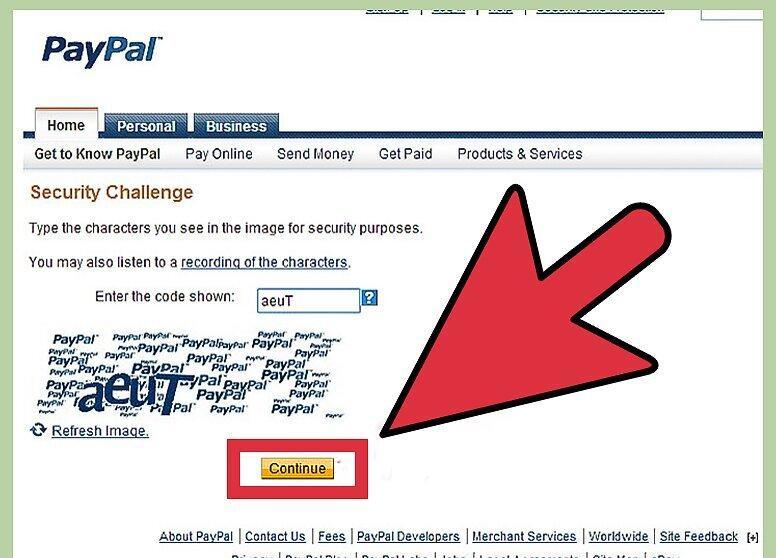
Step 7: Enjoy your new account.
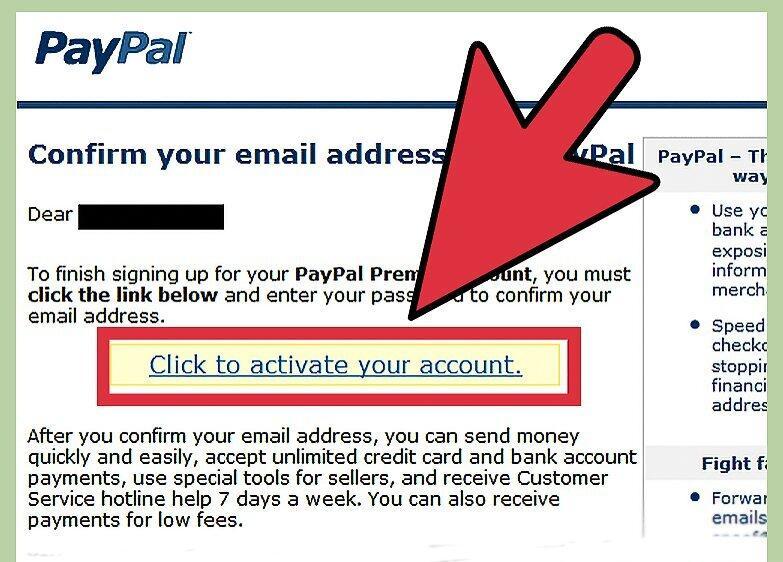
Enjoy your new account! You may receive an email from PayPal asking you to activate your account. If you do, open the email and click on "Activate." Your account will now be live and opened in a new window.