When writing an essay or article that relies on the ideas of other authors, it’s essential to cite them properly. You can either paraphrase their thoughts or use a direct quote, but in any case, you must acknowledge the source. Neglecting this practice can be seen as plagiarism, which is a serious violation of ethics and can lead to undesirable consequences like low grades or even expulsion. The APA format was developed by the American Psychological Association for use in scientific papers in the social sciences. While APA style encompasses more than just citation, this article will focus exclusively on that aspect.
How to Properly Cite a Book in Text According to APA Standards
Step 1. Identify the Author of the Book.
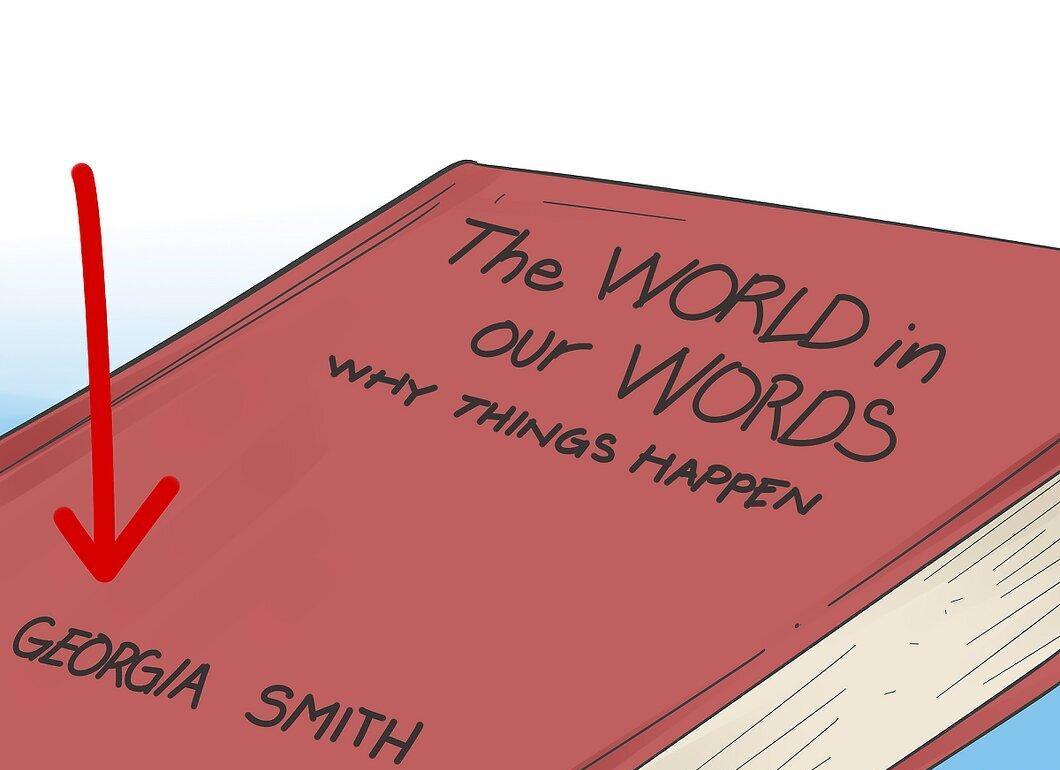
Start by locating the author's name, which can be found on the cover or title page of the book. Don’t worry if the book has multiple authors. In our example, the author is Georgia Smith.
Step 2. Find the Publication Date of the Book.
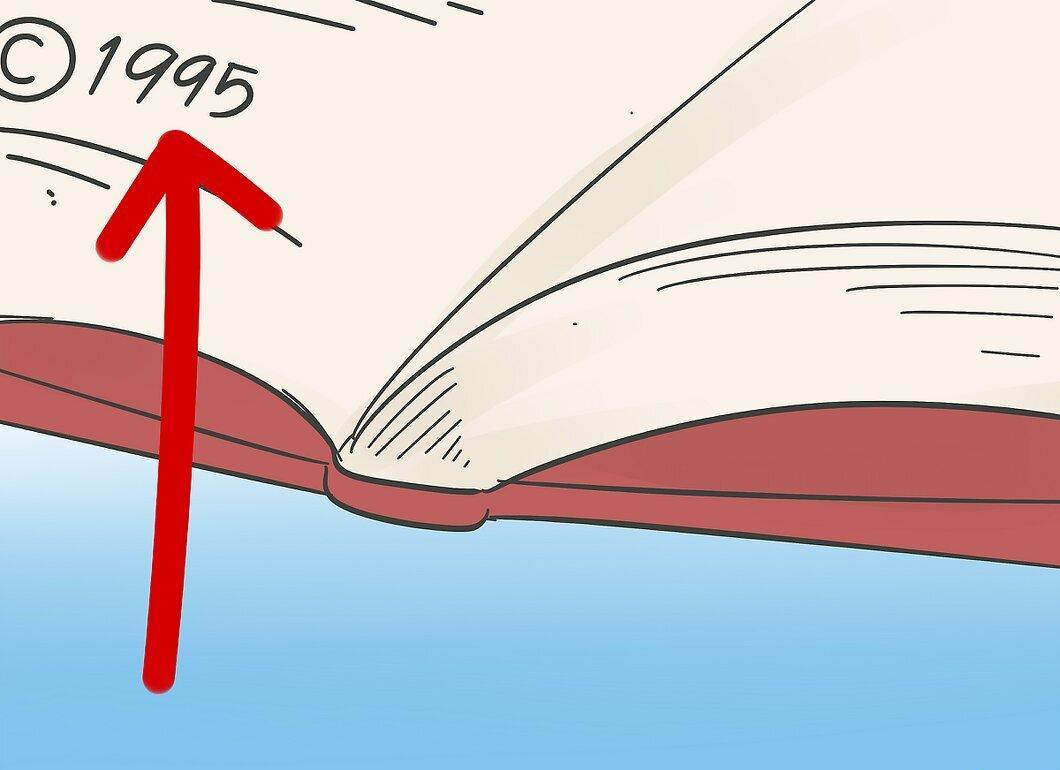
Look for the publication date, which is usually indicated on the back of the title page. Use the most recent date available.
- Let's say the book was published in 1995.
Step 3. Choose Your In-Text Citation Method.
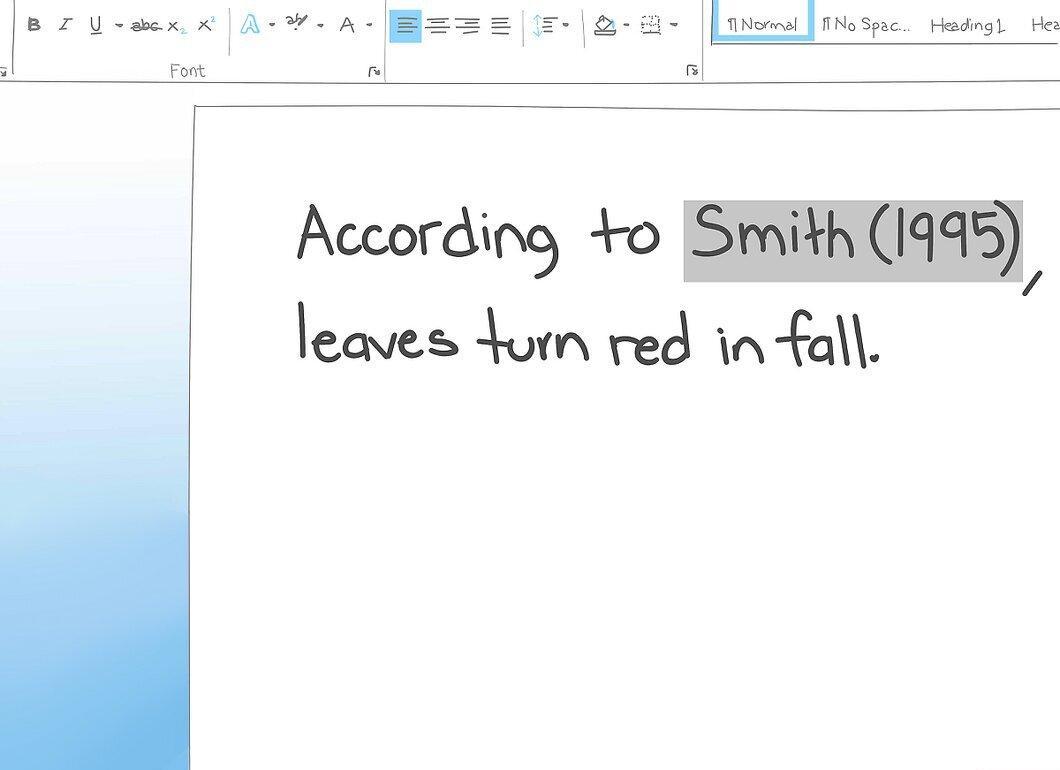
There are two main methods for citing in-text. You can start by mentioning the author at the beginning of the sentence, providing only the last name: "According to Smith (1995), leaves turn red in the fall." Remember that the publication date should be in parentheses, while the author's last name should not.
- Alternatively, you can place the citation at the end of the sentence without mentioning the author, for example: "Leaves turn red in the fall (Smith, 1995)." In this case, both the author and the date should be in parentheses and separated by a comma. Ensure that the author's last name comes first, followed by the date.
Step 4. Citing Multiple Authors.
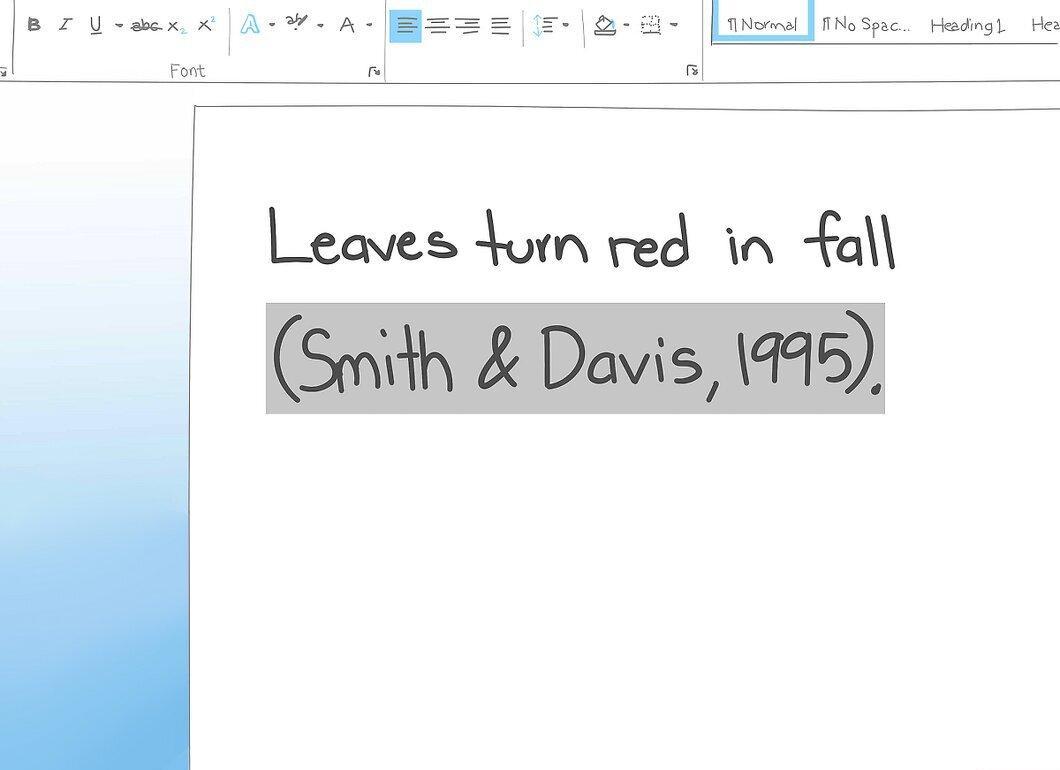
If the book has multiple authors, be sure to list all of them. If there are two authors, you can separate their last names with an ampersand. For three or more authors, use commas and an ampersand.
- Example for two authors: "Leaves turn red in the fall (Smith & Davis, 1995)."
- Example for three or more: "Leaves turn red in the fall (Smith, Davis & Baxter, 1995)." If you have between three and five authors, list their last names the first time you cite them. For more than six authors, you can use "et al." from the first citation: "(Smith et al., 1995)."
Step 5. Indicating Page Numbers for Direct Quotes.
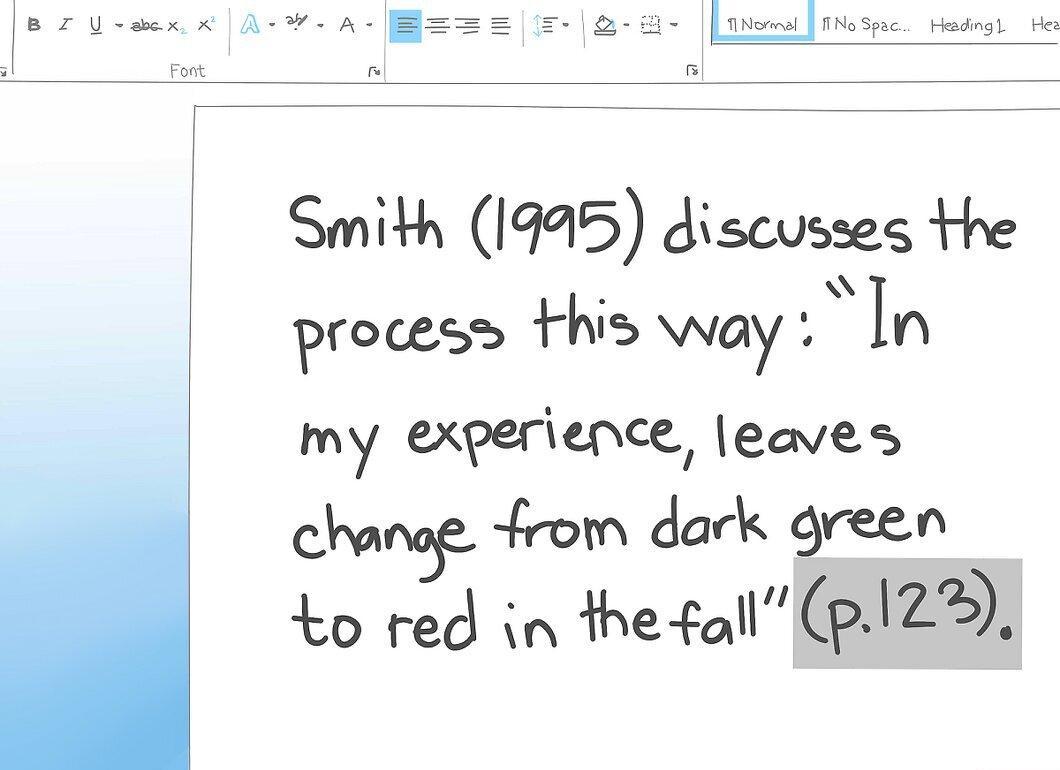
If you are using a direct quote, be sure to include the page number. For example, if you found a quote on page 123: "In my experience, leaves turn red in the fall." You can format it in two ways. Remember to include the page number at the end, even if you mention the author's last name and the date first.
- Method 1: "Smith (1995) states: 'In my experience, leaves turn red in the fall' (p. 123)." The page number is indicated at the end, with the preposition "p." before the number.
- Method 2: "Another author claims: 'In my experience, leaves turn red in the fall' (Smith, 1995, p. 123)." Here, the information in parentheses is also separated by commas.
Step 6. Proper Use of Punctuation.
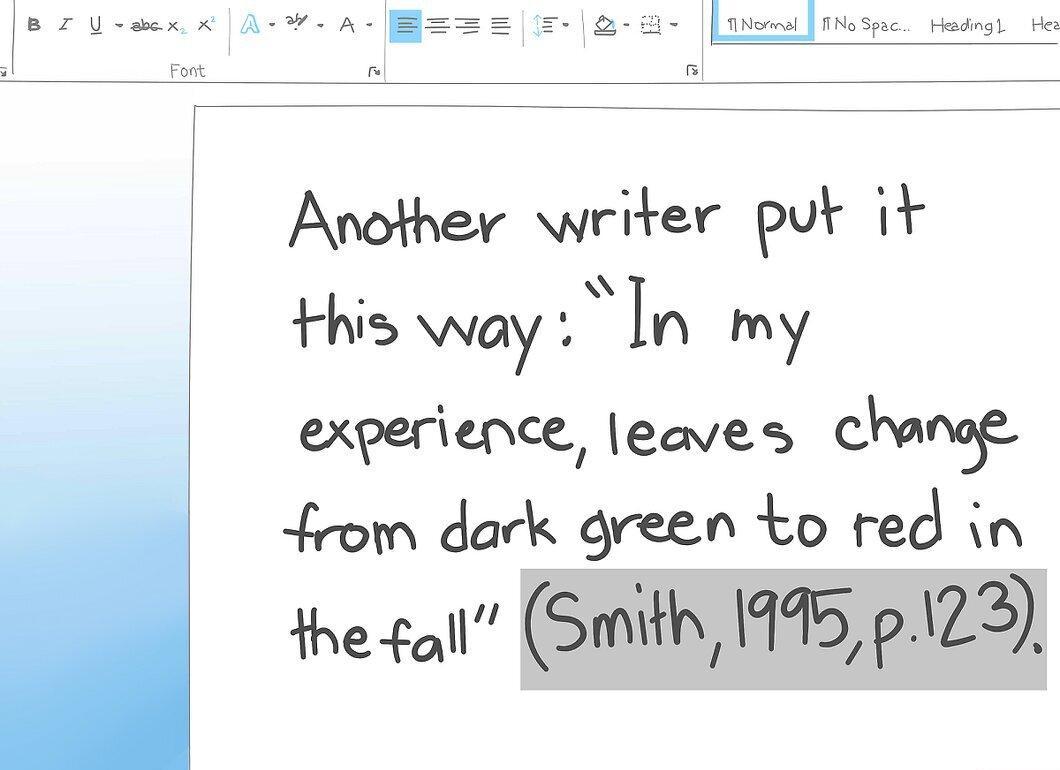
Don’t forget to place punctuation marks correctly. When you quote directly, the quotation marks should come before the citation, and then place a period:
- For example: "Another author says: 'In my experience, leaves turn red in the fall' (Smith, 1995, p. 123)."
How to Format a Reference List in APA Style
Step 1. Start with the Author's Name.
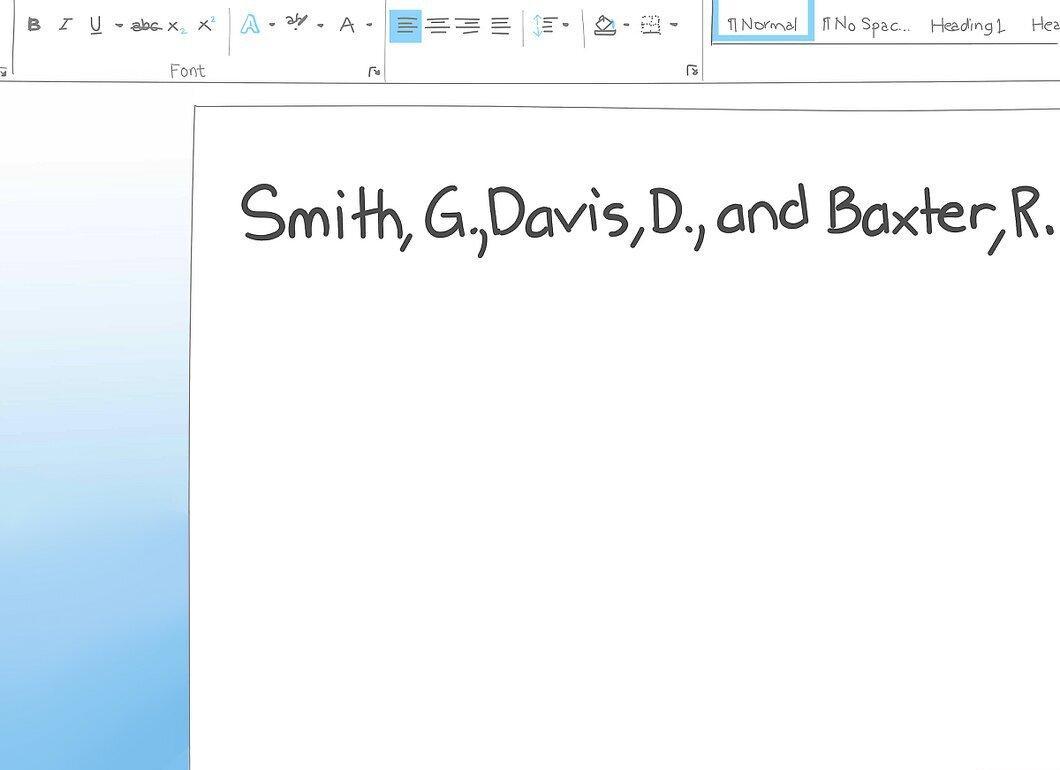
As with in-text citations, begin your reference list by indicating the author's name. However, here you will need only the initials. Start with the author's last name, followed by a comma and the initials with periods. For example:
- One author: "Smith, J."
- For multiple authors: "Smith, J., Davis, D., & Baxter, R."
Step 2. Provide the Publication Date.
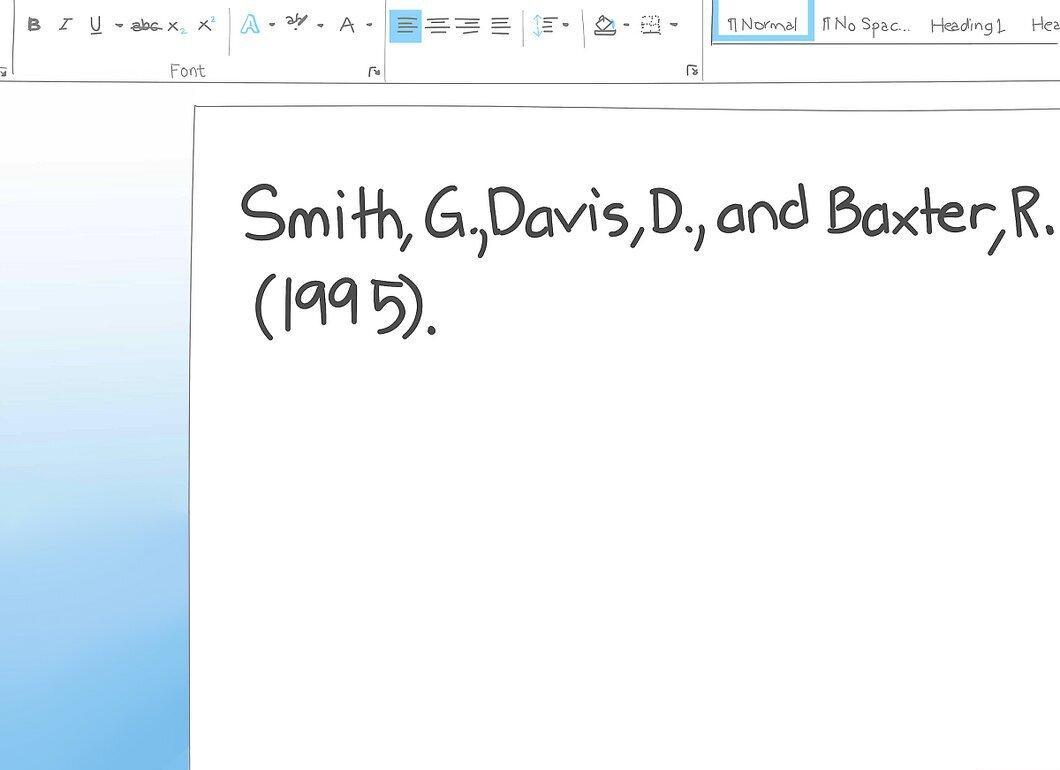
After the author's name, include the publication date in parentheses. For example:
- "Smith, J., Davis, D., & Baxter, R. (1995)."
Step 3. Specify the Full Title of the Book.
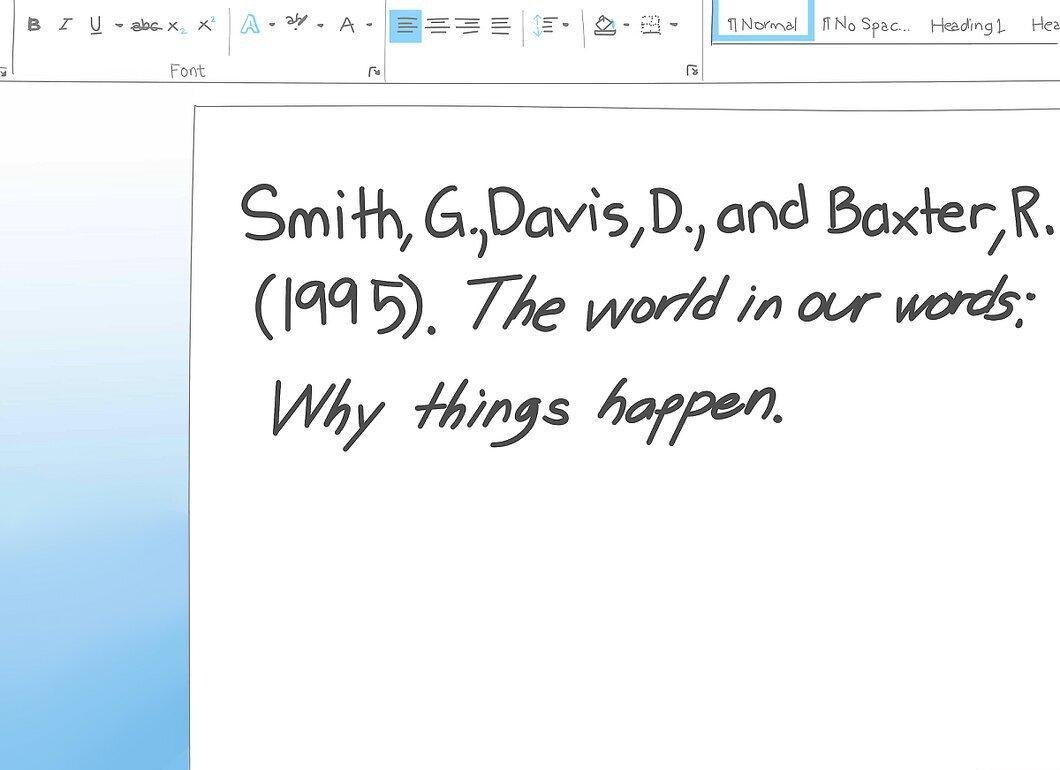
Now, write the full title of the book. According to APA standards, only the first word of the title and the first word of the subtitle should be capitalized, and the entire title should be italicized. For example:
- "Smith, J., Davis, D., & Baxter, R. (1995). The World in Their Words: Why It Happens." A period is placed at the end.
Step 4. Indicate the Place of Publication.
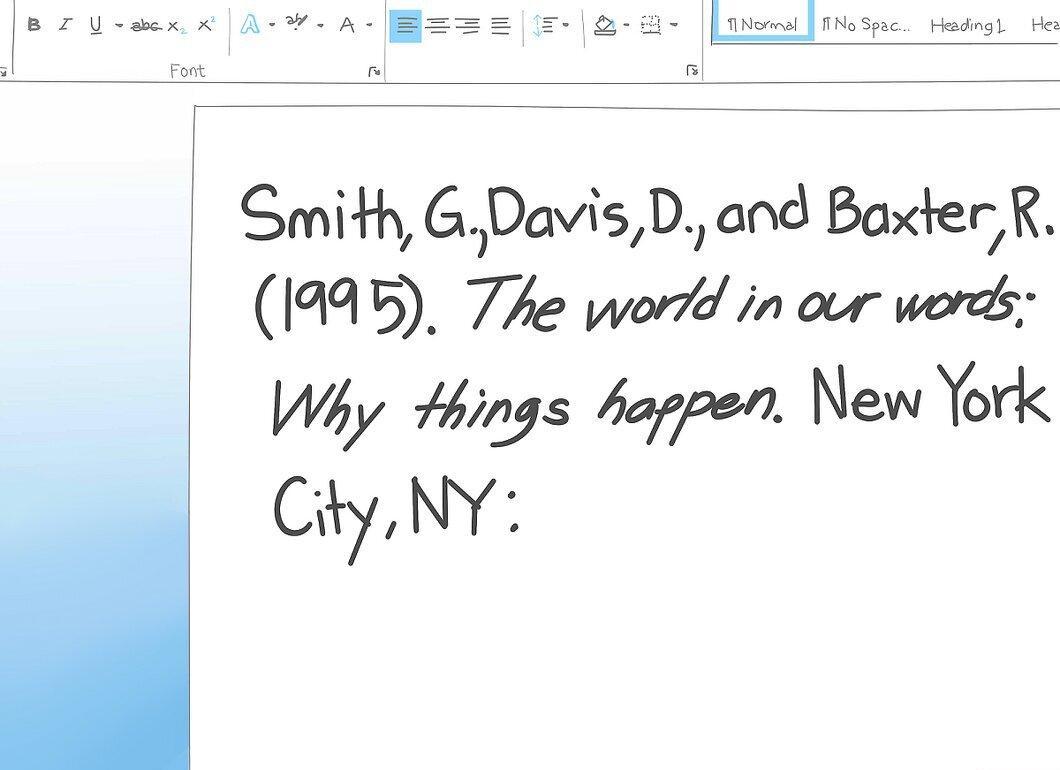
Specify the city and state where the book was published. This information is usually found on the title page or its back. If multiple cities are listed, choose the one closest to you. Use the postal abbreviation for the state. For example:
- "Smith, J., Davis, D., & Baxter, R. (1995). The World in Their Words: Why It Happens. New York, NY."
Step 5. State the Publisher.
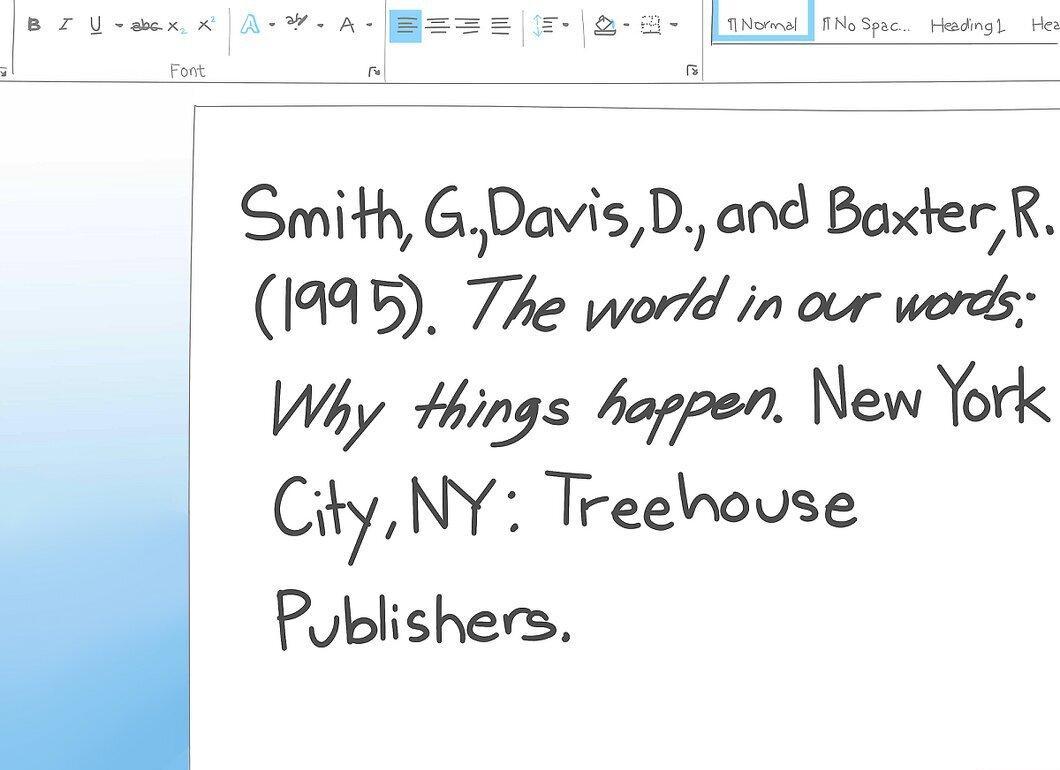
Add the name of the publisher, placing a colon between the state and the publisher's name. For example, if the book is published by "Treehouse Publishers," it would look like:
- "Smith, J., Davis, D., & Baxter, R. (1995). The World in Their Words: Why It Happens. New York, NY: Treehouse Publishers."
Formatting Citations on a Computer
Step 1. Understand What a Hanging Indent Is.
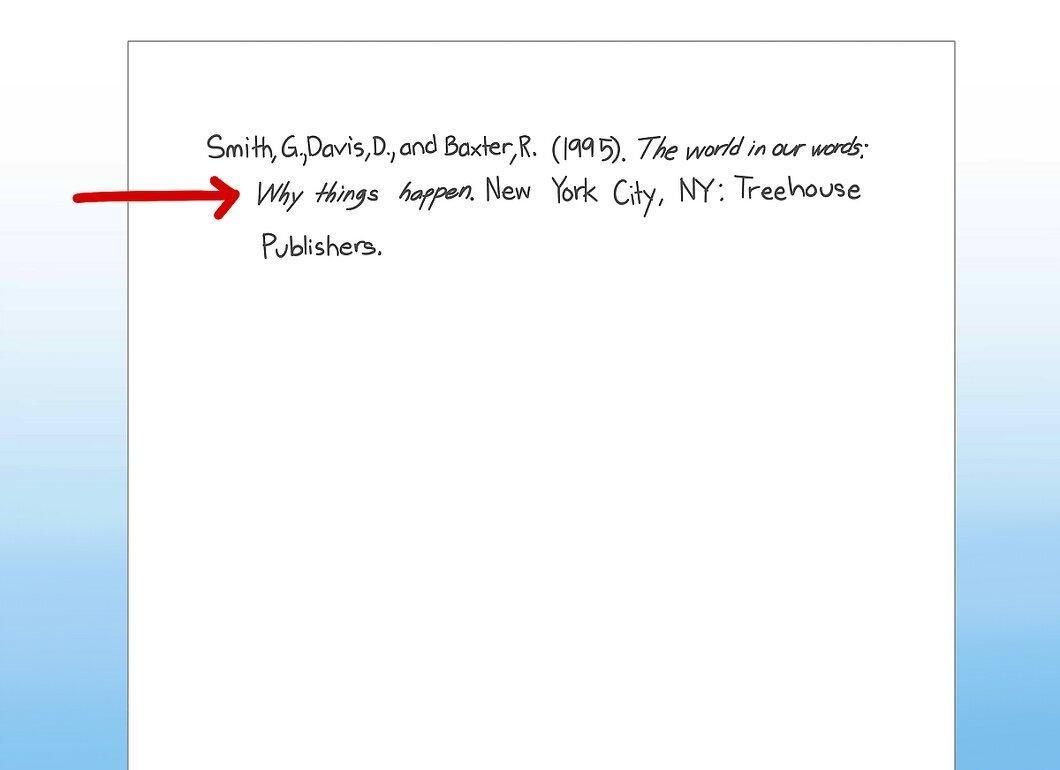
Note the hanging indent. This means that the first line of each citation should be flush left, while all subsequent lines should start with an indent.
Step 2. Use Hanging Indents for Long Quotes.
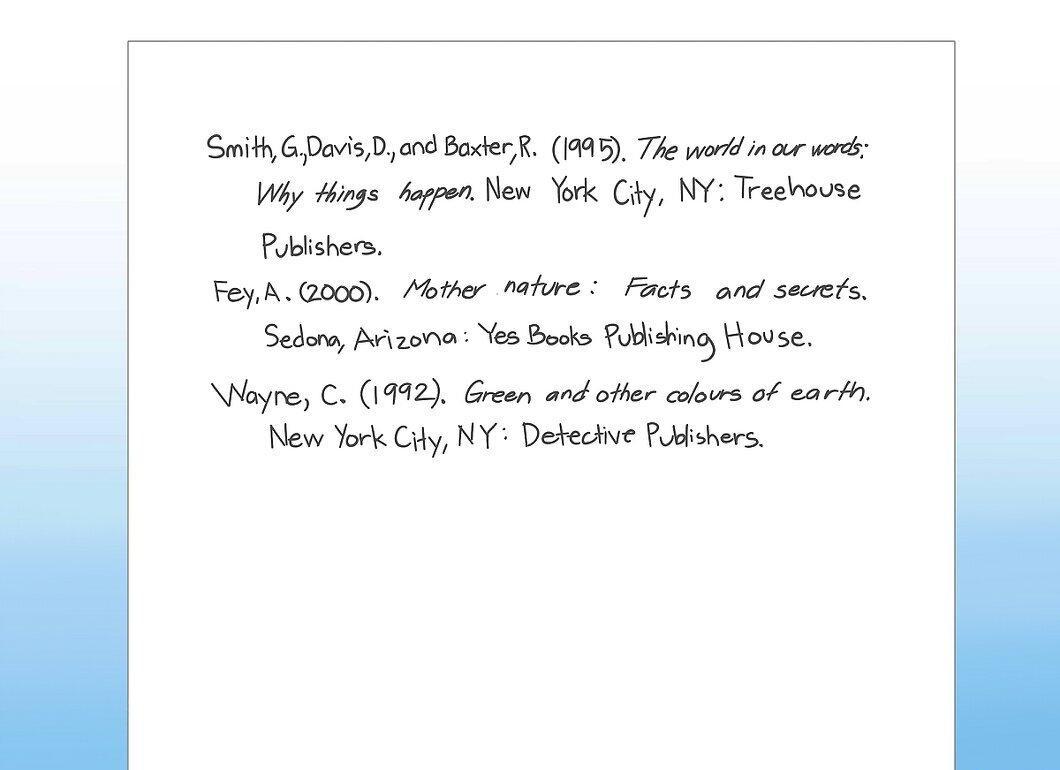
If quotes are long, they should start with a hanging indent. To do this, highlight the quote text and use the ruler at the top of the page to set the indent to 1.25 cm.
Step 3. Format the Reference List with Double Spacing.
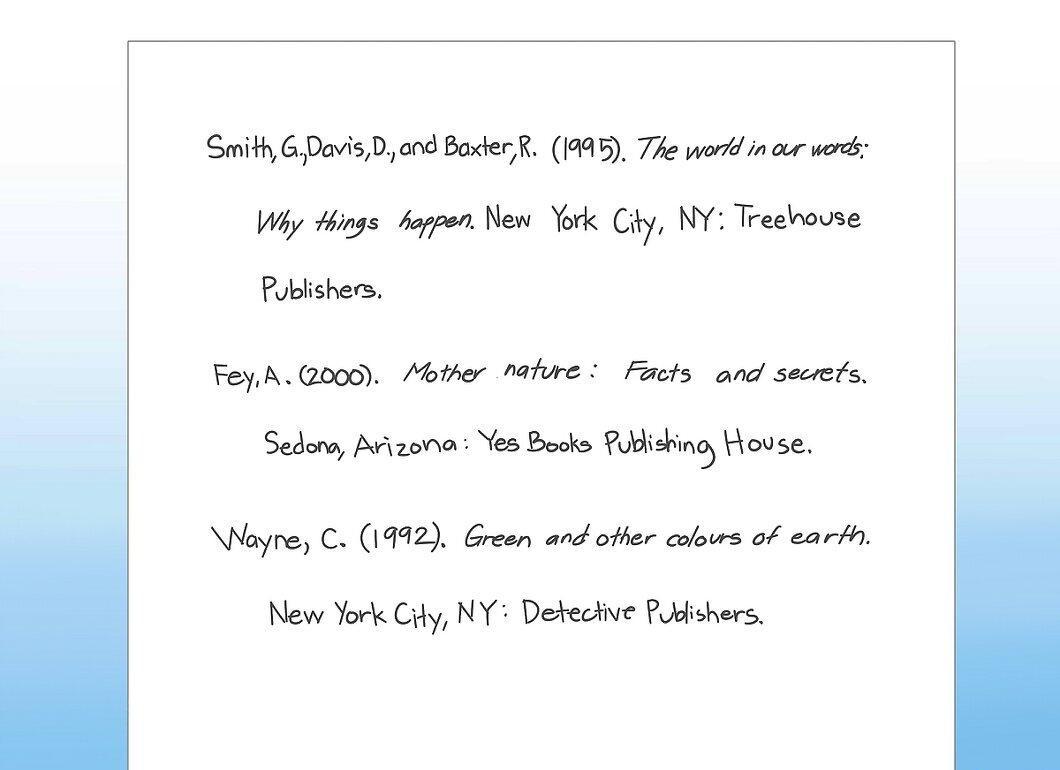
The reference list should be formatted using double line spacing. Ensure that the page is set to double spacing. Highlight the text, right-click, and select "Paragraph." Under "Spacing," choose "Double."