
There are countless image formats in the world, with the most popular being BMP, GIF, JPG, TIF, PNG, and others. People like programmers, web designers, and photographers often need to convert graphic files from one format to another. Let's see how to do this.
Part 1
Step 1. Open your image.
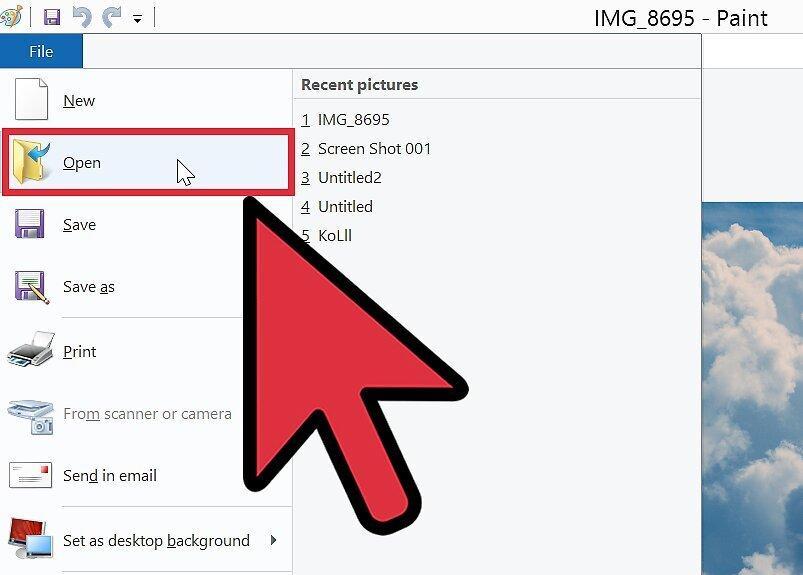
First, open the image. Most computers have one of two applications installed: either Paint for PC or Preview for Mac. Other programs may also work.
Step 2. Select "File" from the top menu.
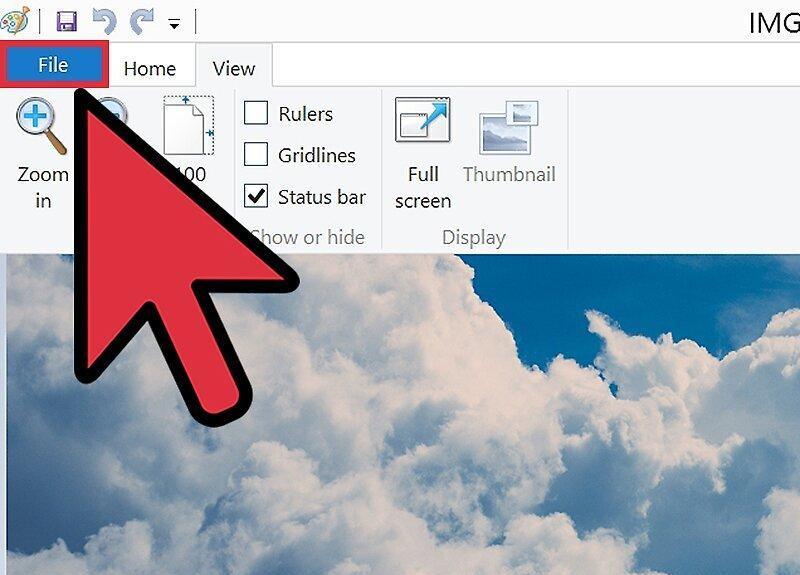
Click on the "File" option at the top of the screen. A dropdown menu will appear.
Step 3. Find the "Save As" option.
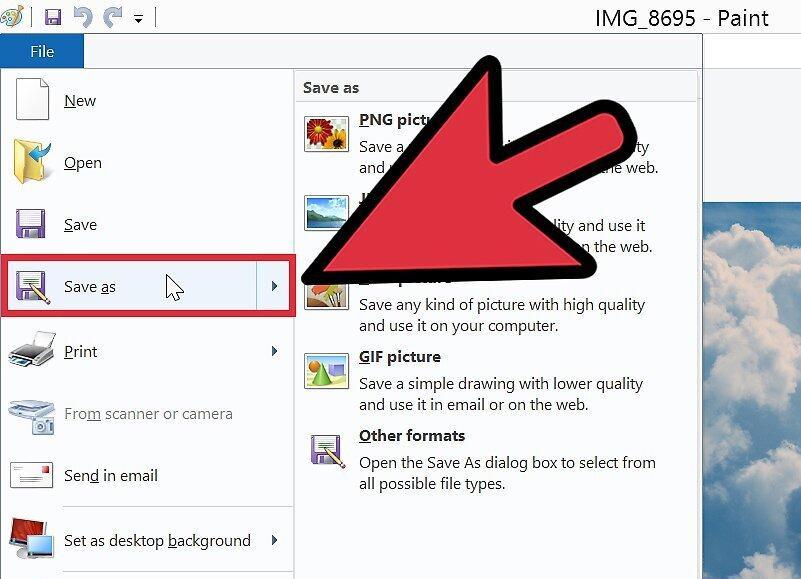
Select the "Save As" option from the menu. A window will pop up, allowing you to change the image name.
Step 4. Click on the dropdown menu next to "Format."
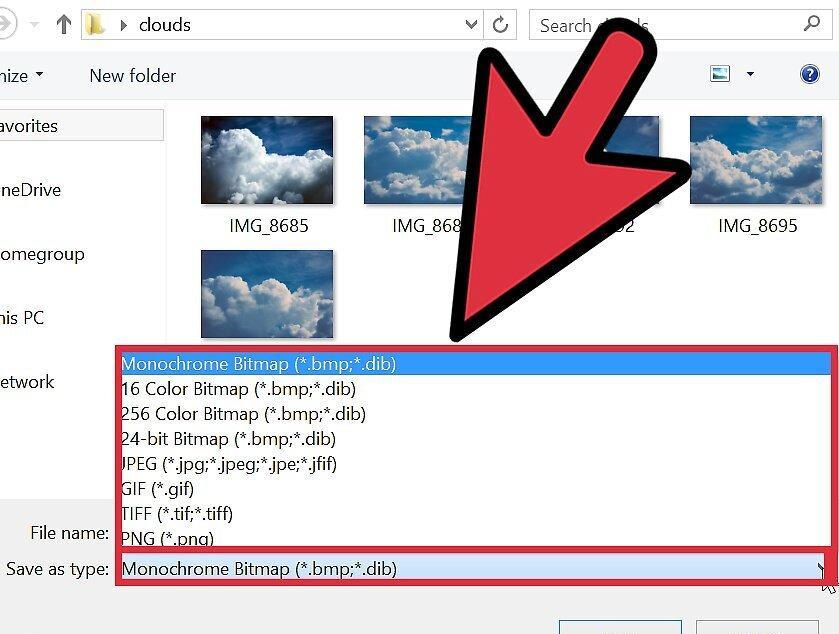
Click on the dropdown menu next to the "Format" option. Here, you will see about 12 different extensions, including JPEG.
Step 5. Choose your desired file format or extension.
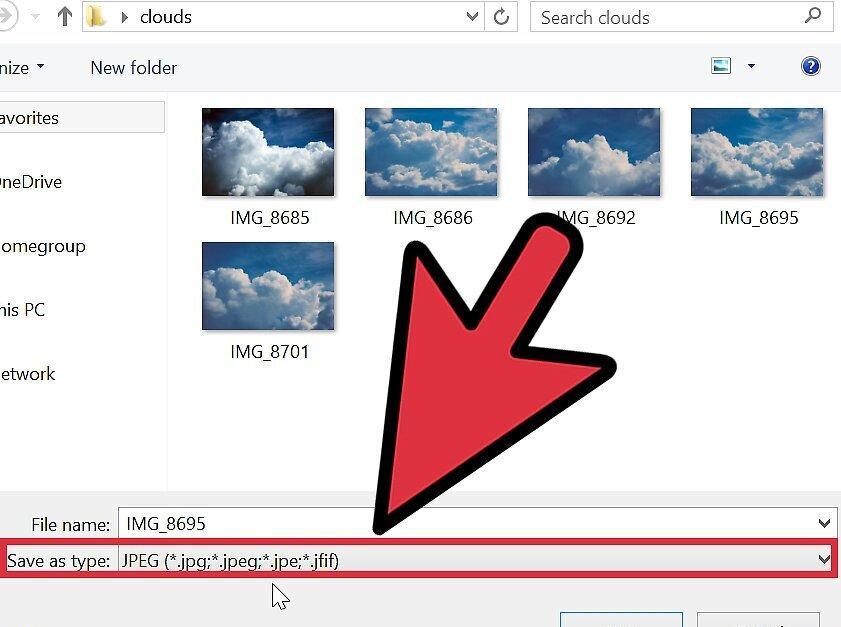
- If needed, change the file name or select a new location to save.
Step 6. Click the "Save" button.
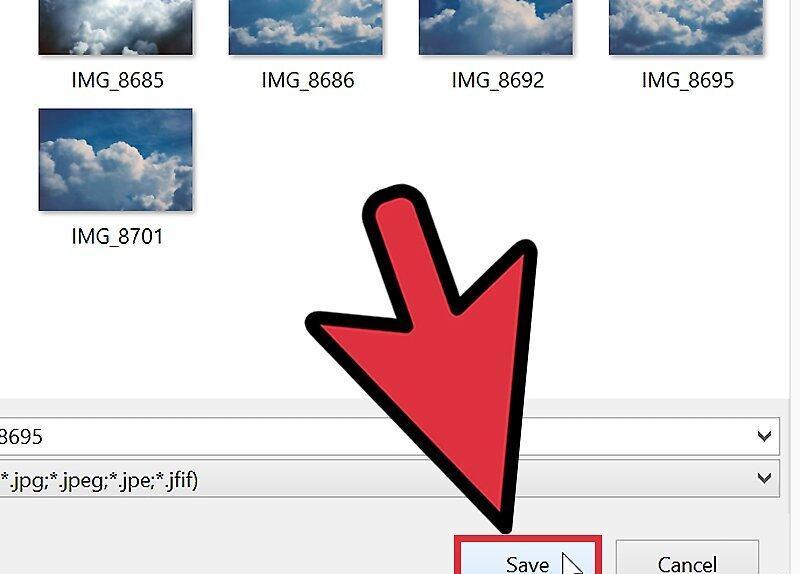
After selecting all the necessary options, click "Save." Your file will be converted, and the version with the .JPEG extension will be available in the folder you specified.


