
Reading PDF documents on a Kindle can strain your eyes, but there's a simple way to ease the process. By sending a PDF file to your Amazon account, it will automatically be converted to .mobi format, making it much easier to read on your device. In this article, you'll learn how to convert PDF to Kindle format (.mobi or .azw) in just a few steps.
Part 1
Step 1: Find Your Kindle Email Address.
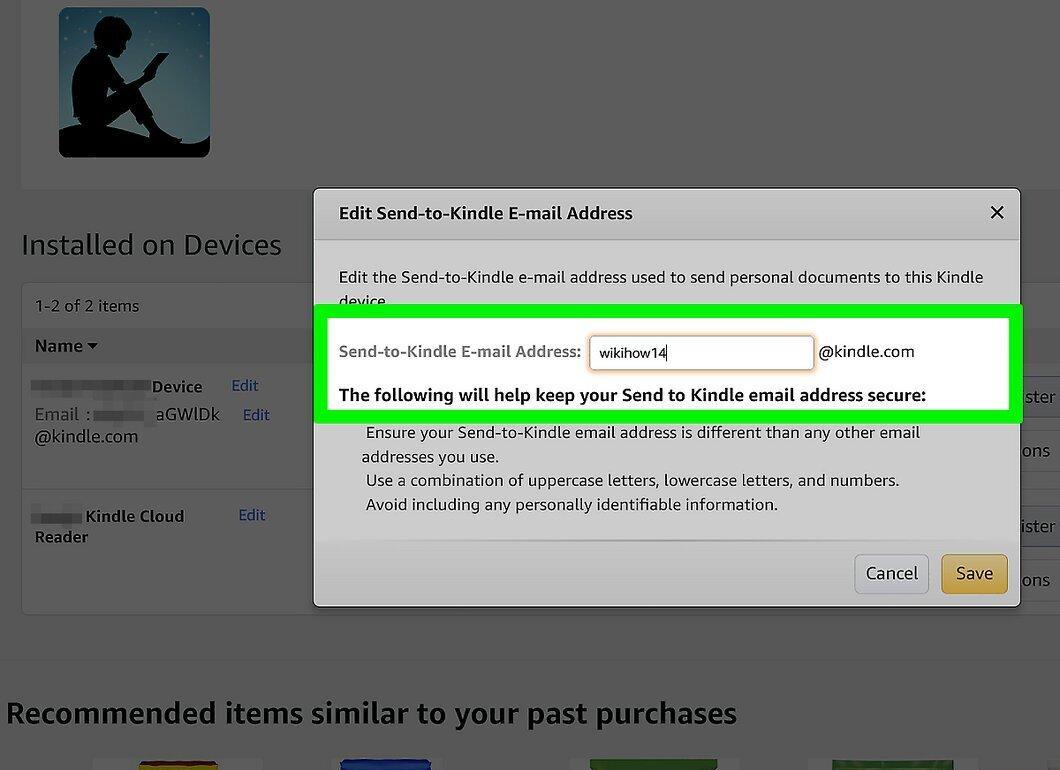
First, you need to find your Kindle device's email address. To do this, go to the Amazon Devices page in your computer's browser and select the specific device you plan to send the PDF file to. Below the device address, you'll find a drop-down menu. Select your device's name to navigate to the general information page where you can find its email address. If you wish, you can click "Edit" to change the email address. If your device isn't displayed (for example, if you're using the app), go to Preferences > Personal Document Settings > Send-to-Kindle E-Mail Settings.
- If you're using the Kindle app or the device itself, open Settings > Send to Kindle Email Address.
Step 2: Allow Emails to Your Kindle Device from Your Email.
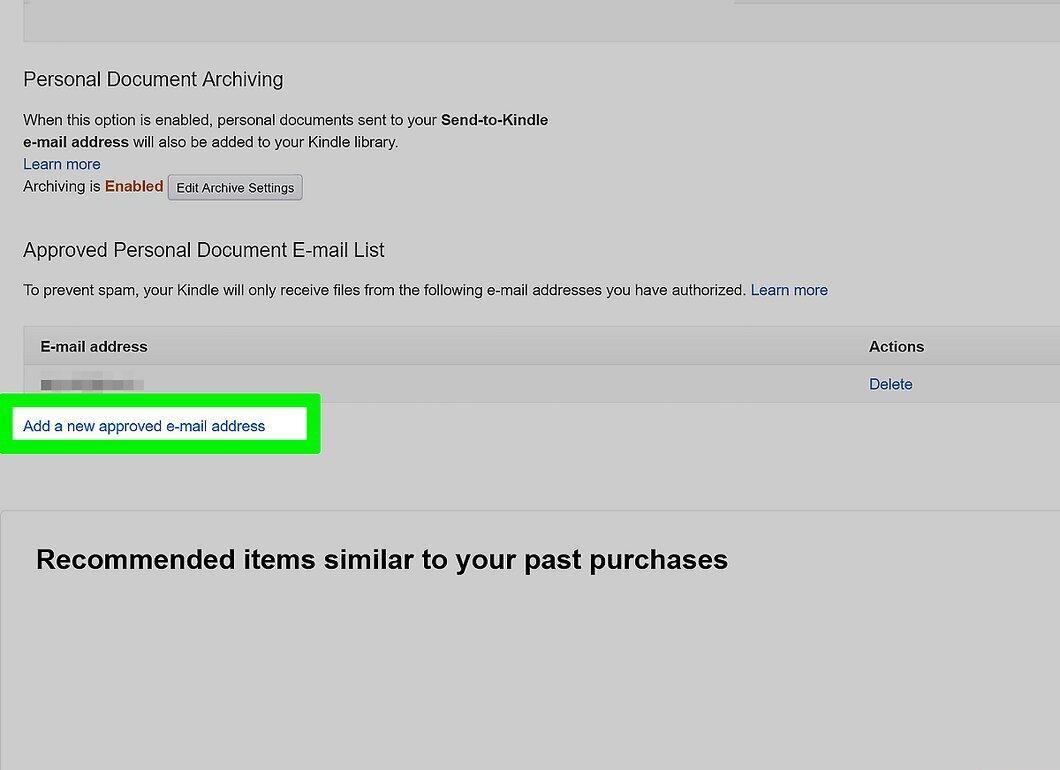
Now, you need to grant access for receiving emails to your Kindle device from your email. Go to the Amazon Digital Content page in your browser and navigate to the "Preferences" tab. Here, you will find your account settings. Scroll down to the "Personal Document Settings" section and click the arrow to open the menu. Ensure that your email is on the "Approved Personal Document E-mail List." If it's not there, click "Add a new approved e-mail address."
- On your device or in the Kindle app, you can switch to the desktop version of the browser to complete this operation.
Step 3: Create a New Email and Attach the PDF File.
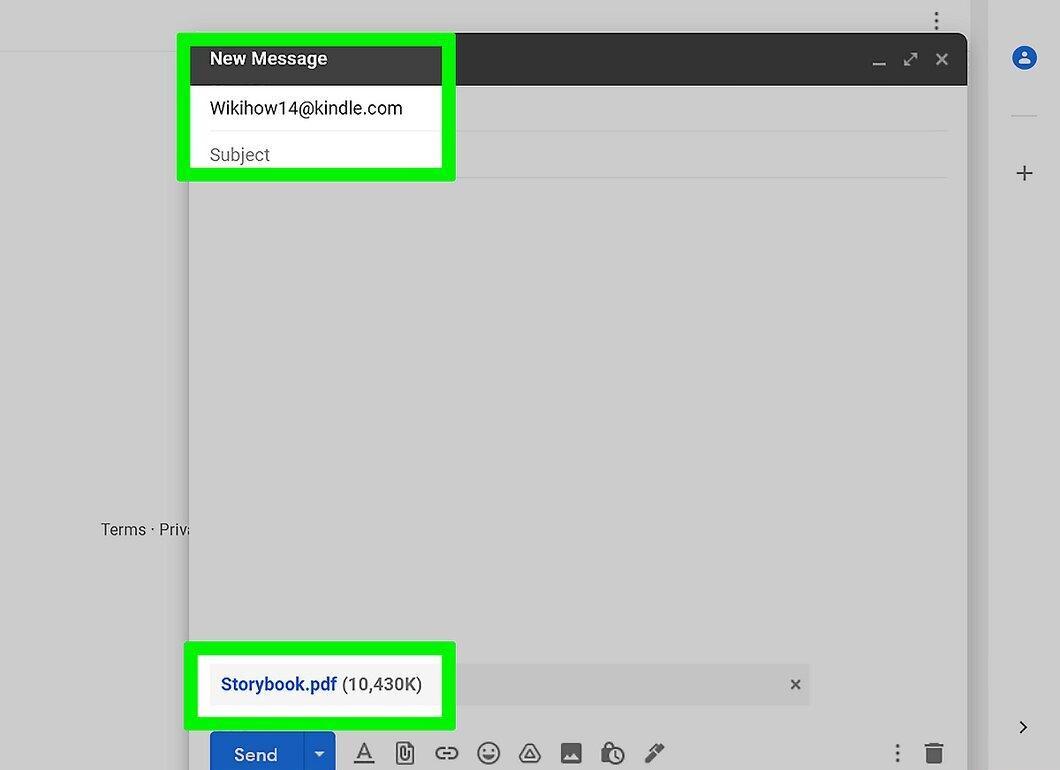
Now, create a new email and attach your PDF document. Open your email app and start a new message. In the "To" field, enter your Kindle email address.
Step 4: Enter "Convert" in the Email Subject Line for Conversion.
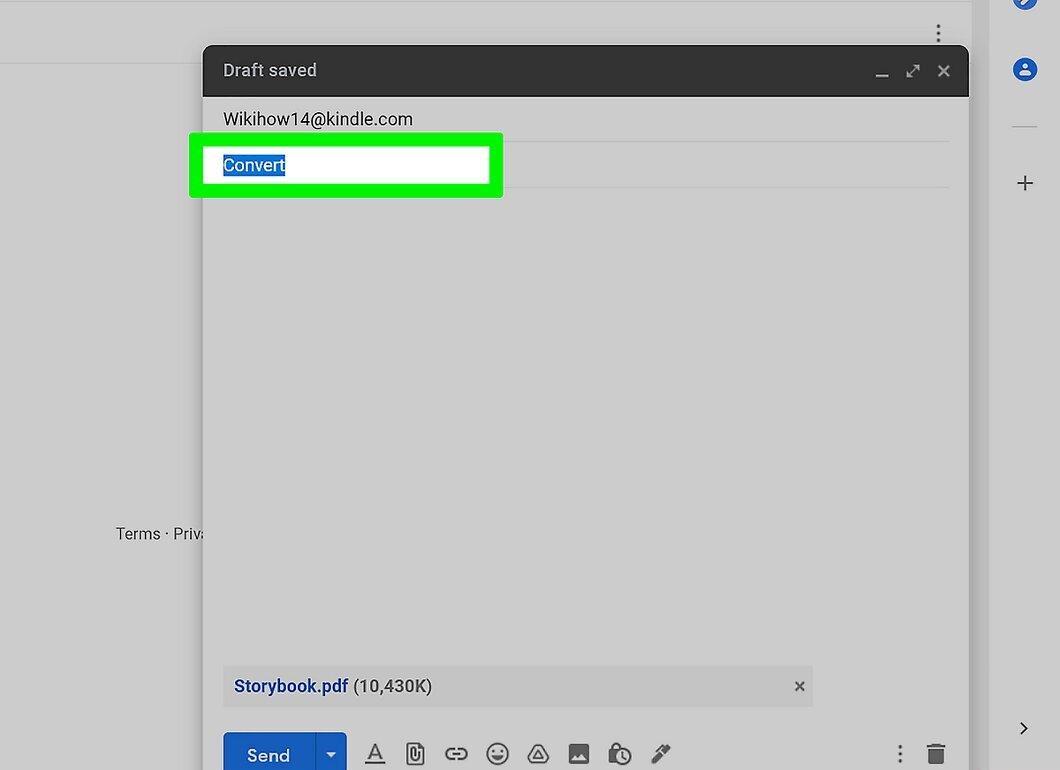
Don't forget to enter "Convert" in the subject line of the email to initiate the conversion process for your PDF file. Once you have everything ready, send the email. The time it takes to convert the file on your Kindle may vary depending on its size.


