
Do you think the only way to type in another language on iOS is by using the 'Translator' app? Think again. You can easily add a keyboard in a different language.
Part 1
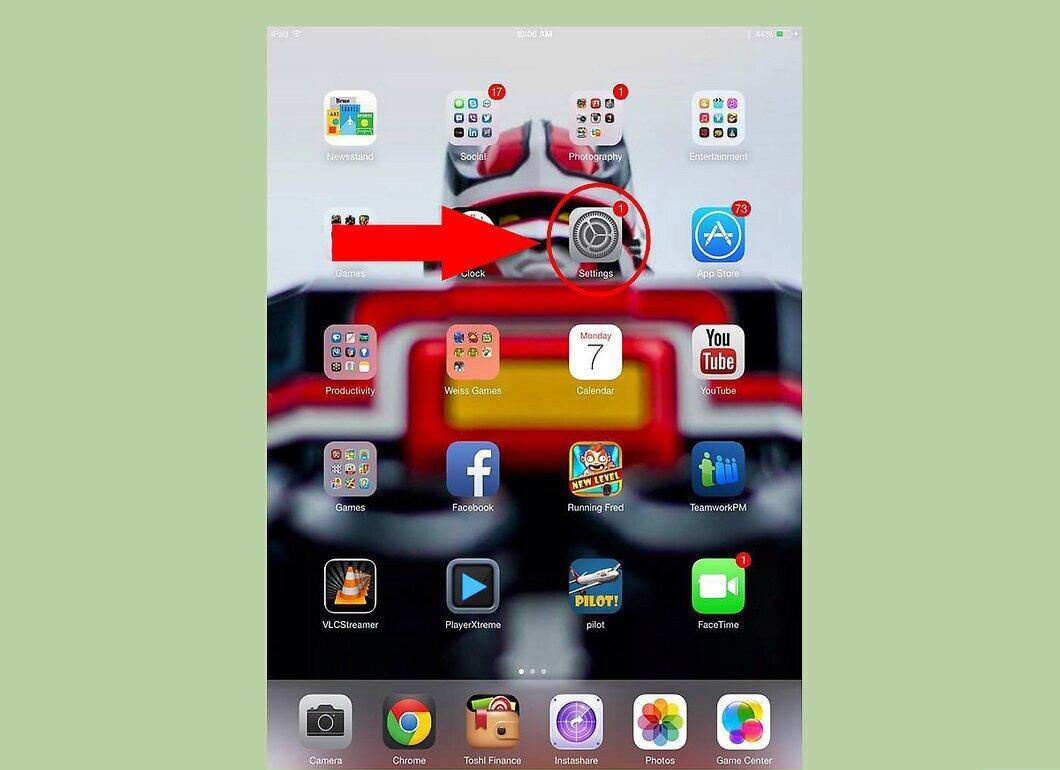
Step 1. On the home screen, tap on ‘Settings’.
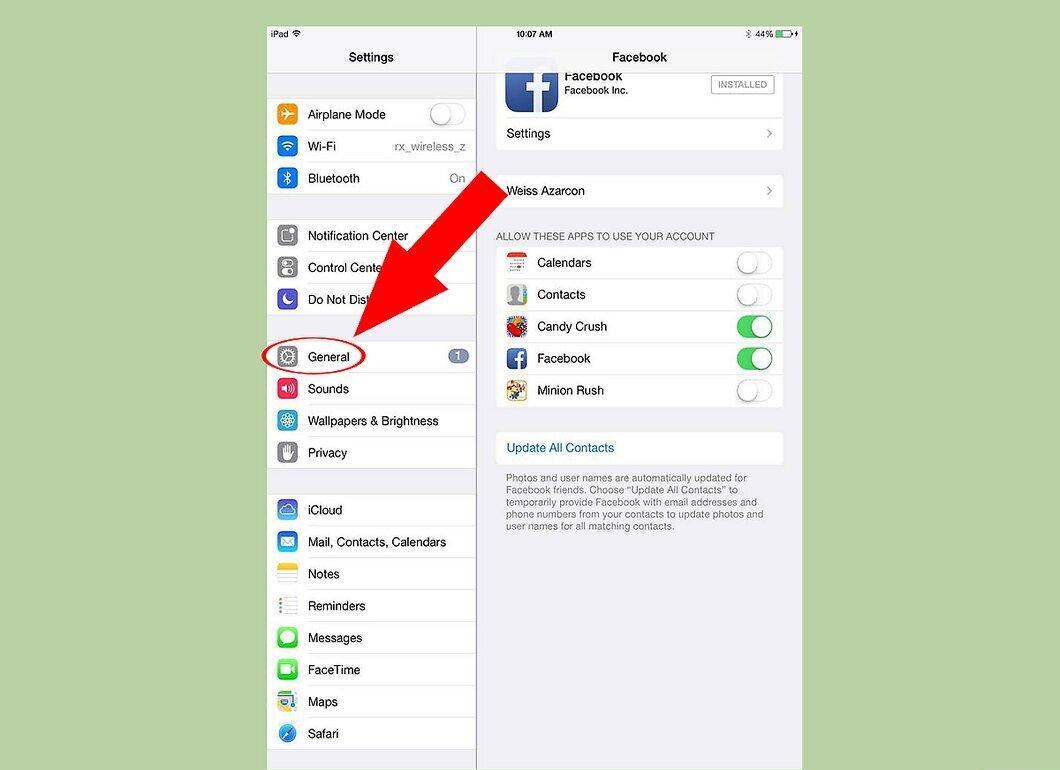
Step 2. Tap on ‘General’.
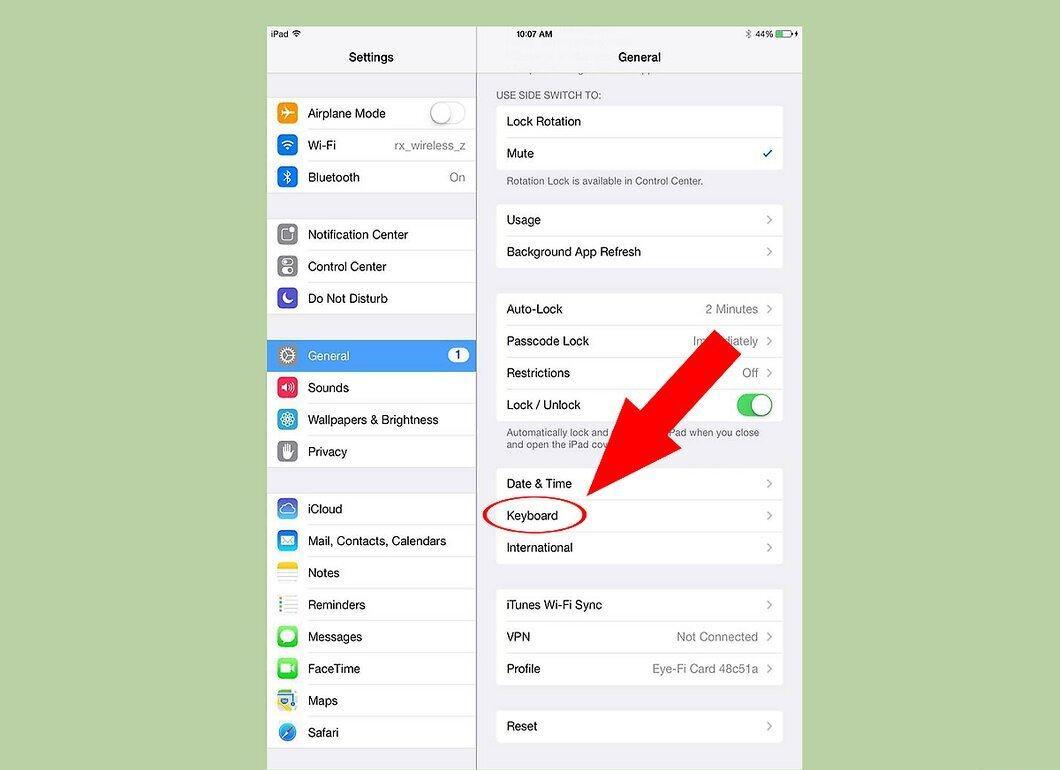
Step 3. Tap on ‘Keyboard’.
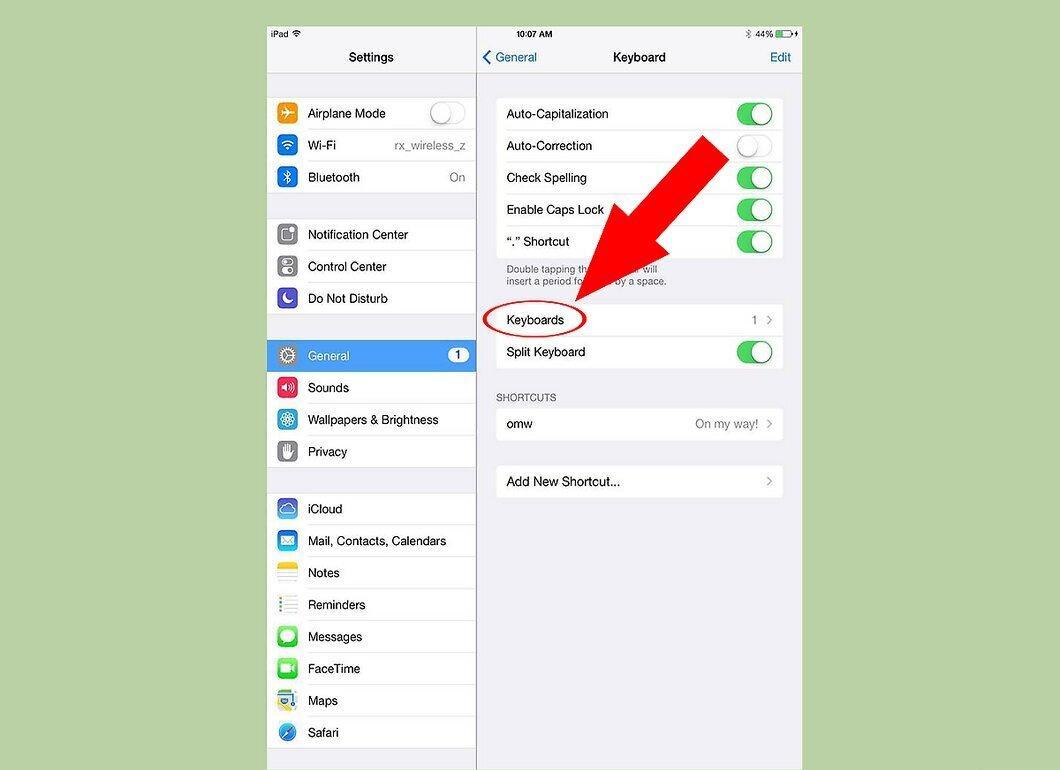
Step 4. Tap on ‘Keyboards’.
Step 5. Tap on ‘Add New Keyboard’.
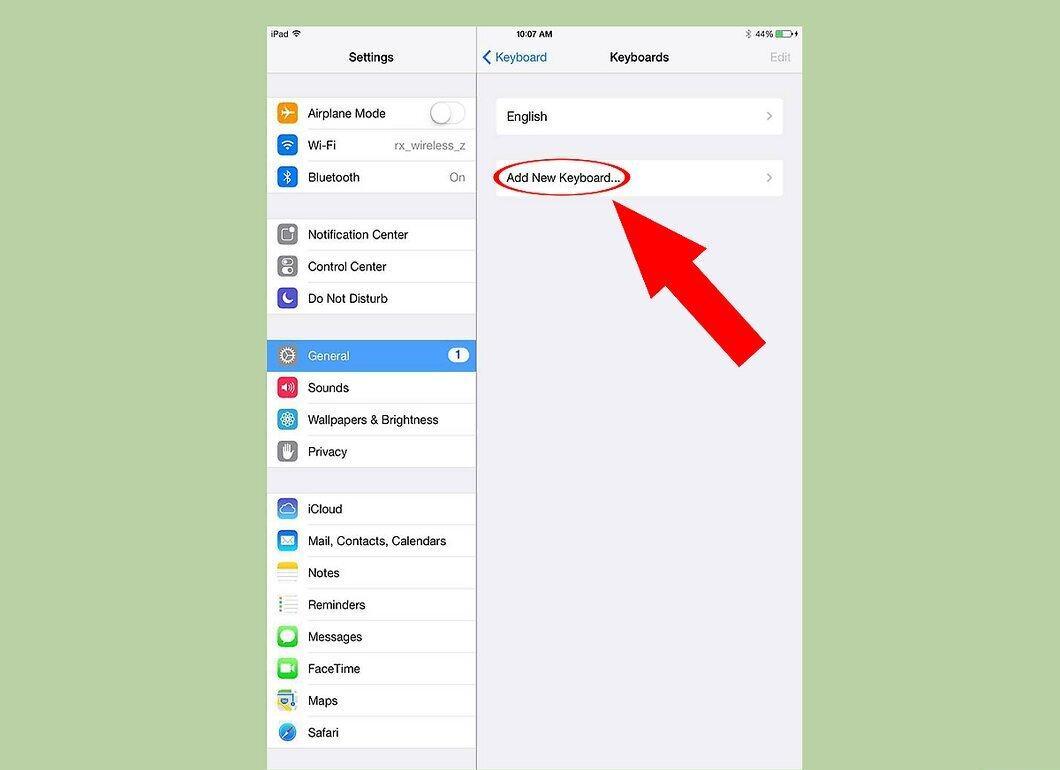
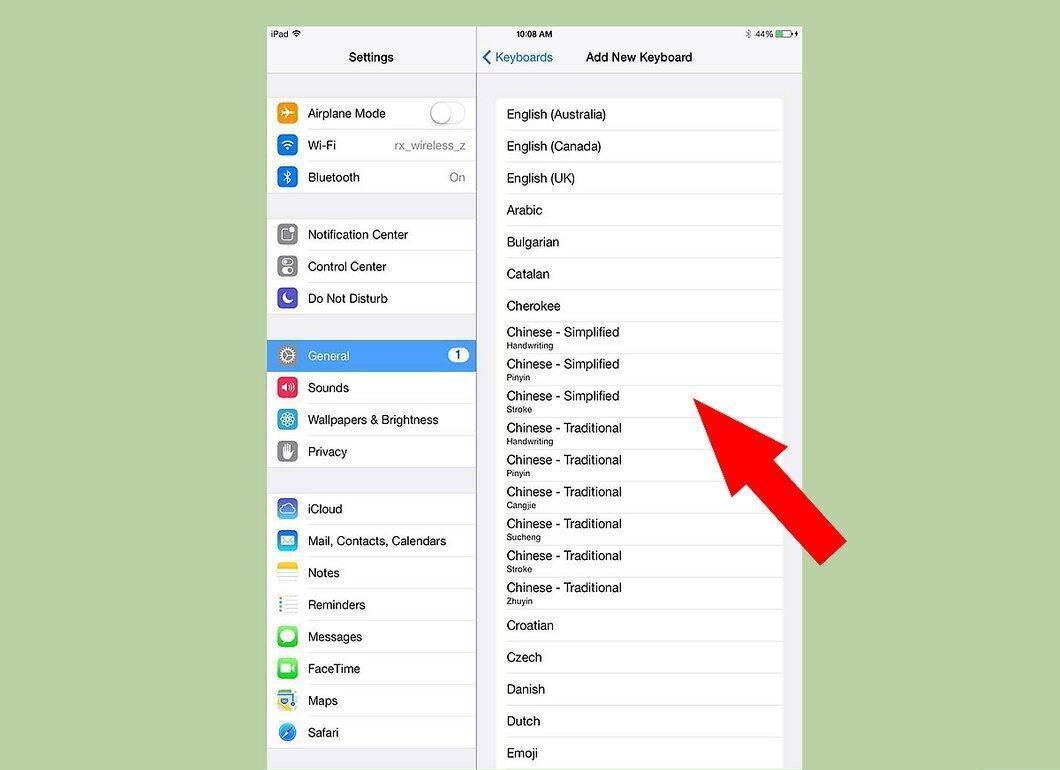
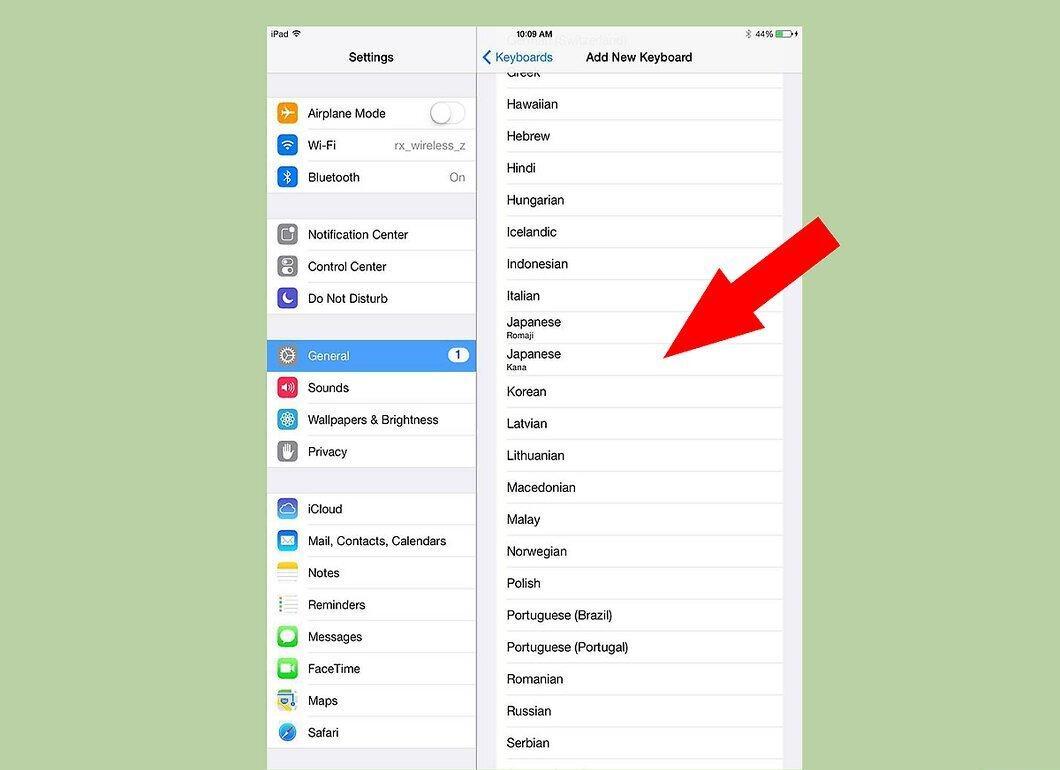
Step 6. Choose the keyboard you want to add (you can always remove it later).
Step 7. Tap on the globe icon.
Tap on the globe icon. Now you can activate the international keyboard(s) you selected.


