The Windows Command Prompt (command.exe) is a useful tool for performing various administrative tasks. The command prompt is a short phrase or symbol displayed on the screen to inform the user that the program is ready to accept a command. This article will guide you on how to change the command prompt temporarily and permanently.
Temporary Change
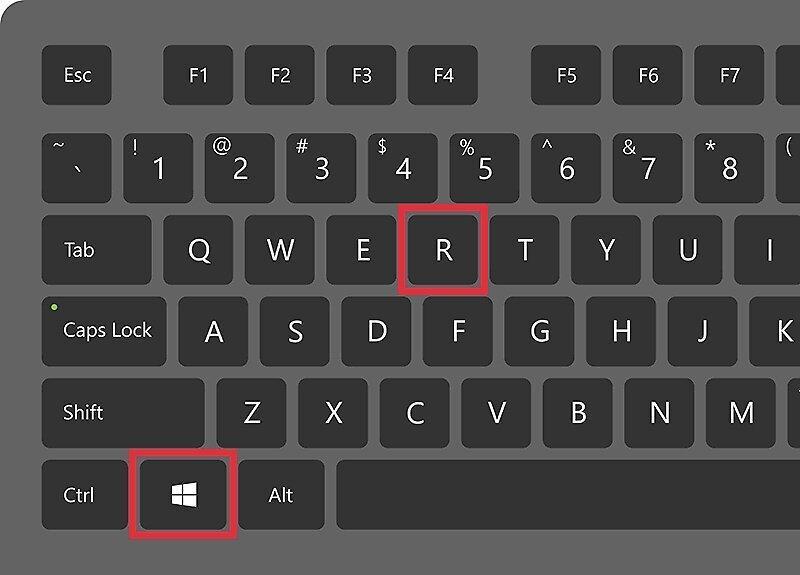
Step 1. Press Windows + R.
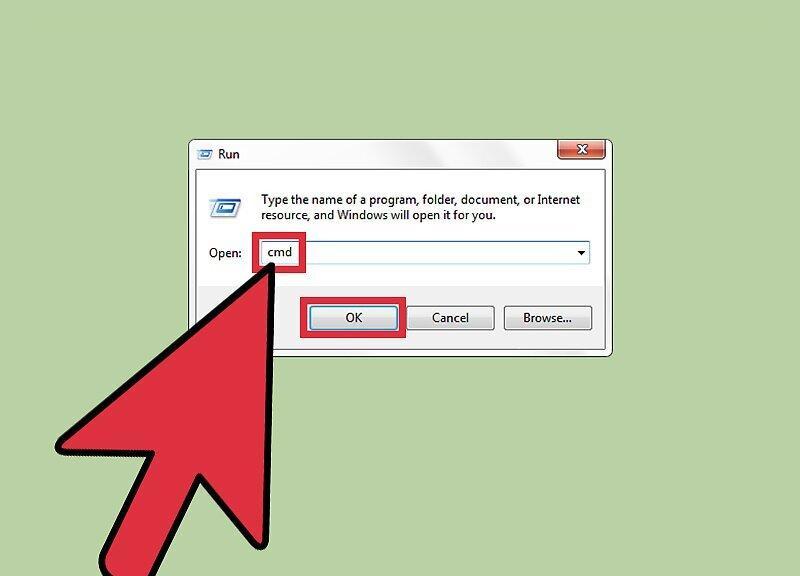
Step 2. Type CMD and hit Enter.
Step 3. Type prompt followed by the new symbol/phrase for the prompt.
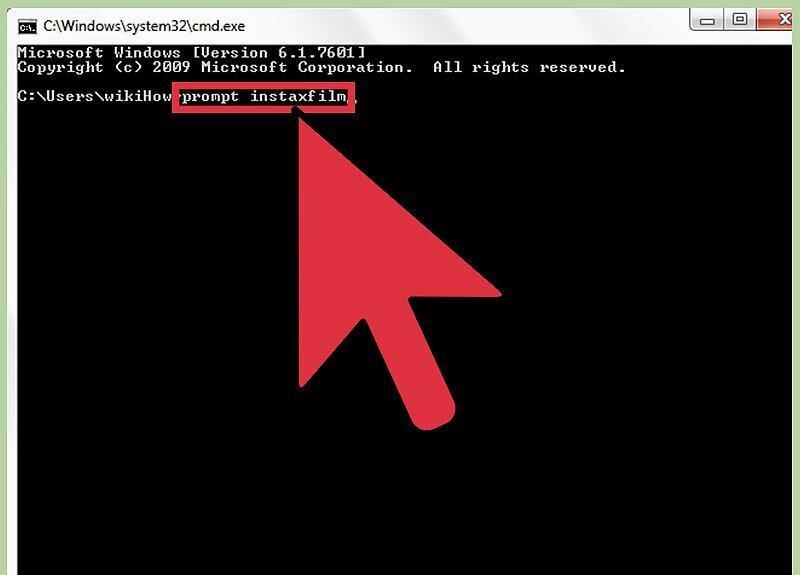
Step 4. The new prompt will appear on the next line.
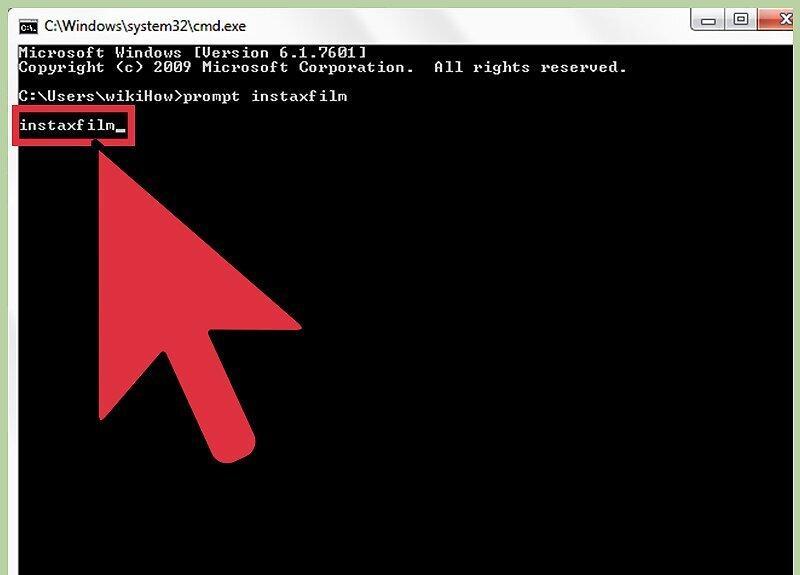
The new prompt will appear on the next line. Note that this new prompt will reset when you close the command prompt window.
Permanent Change
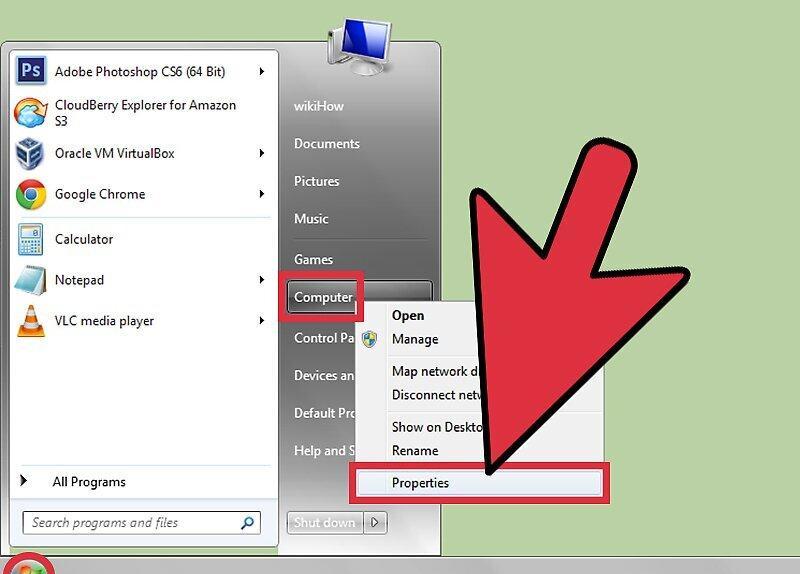
Step 1. Right-click on "Computer" and select "Properties" from the menu.
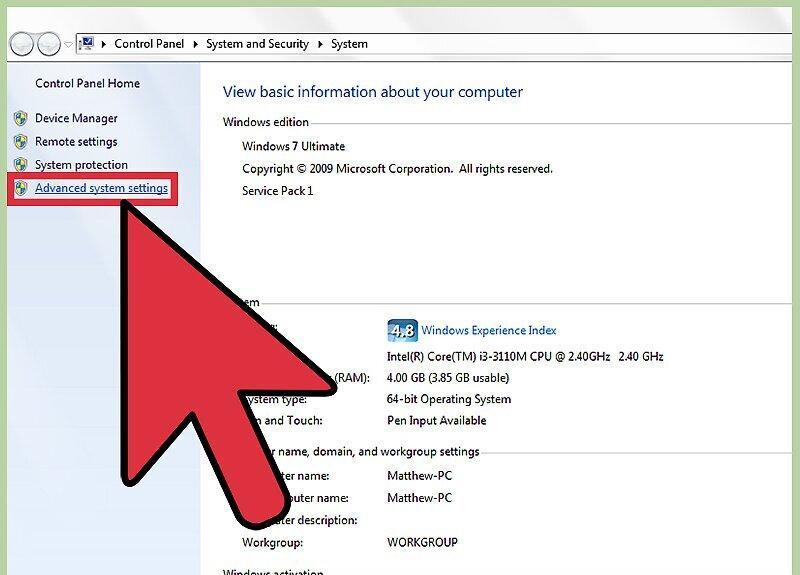
Step 2. Click on "Advanced system settings".
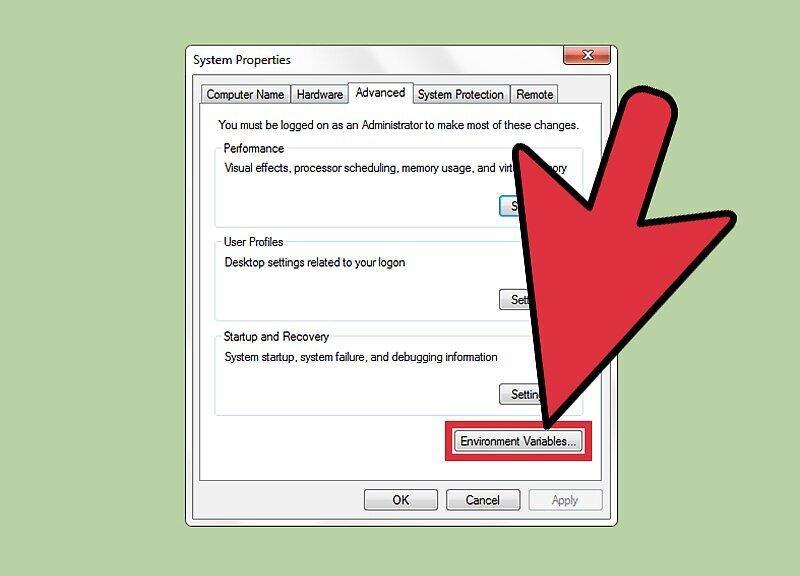
Step 3. Click on "Environment Variables".
Step 4. Click on "New" (under "User variables").
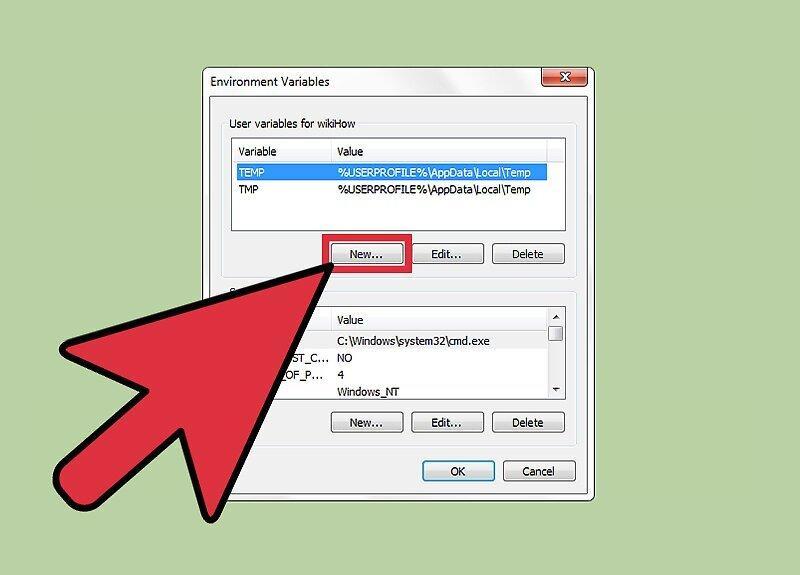
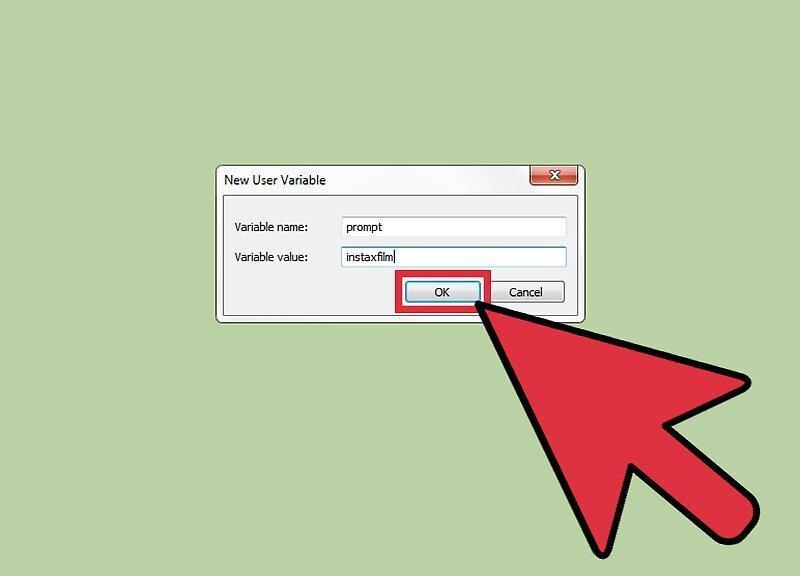
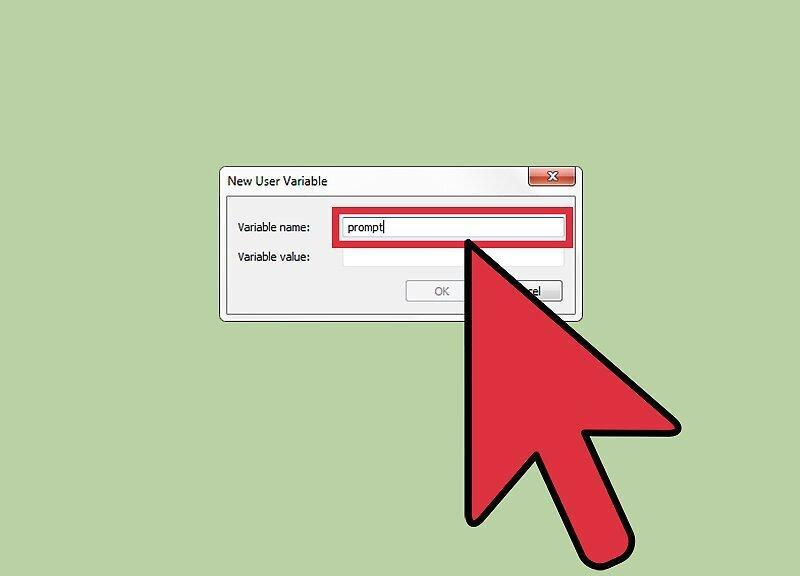
Step 5. In the "Variable name" field, enter prompt.
Step 6. In the "Variable value" field, enter the new symbol/phrase for the prompt.
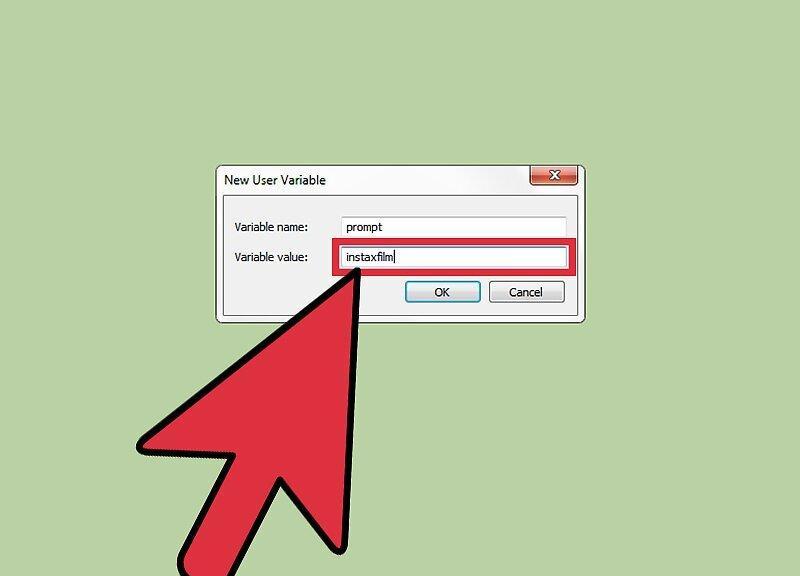
Step 7. Click OK.