
Craigslist.org is an excellent site where you can find everything from event tickets to used items like sofas. Its structured catalog makes it one of the best on the internet, especially for local searches. However, it does have its drawbacks: Craigslist lacks built-in features for nationwide searches. But don’t worry! There are several ways to bypass this limitation, and we’ll show you how to do it.
Searching with Search Engines
Step 1. Use Advanced Search.

Start with an advanced search. Google has much greater capabilities than just basic searching. With a little trick, you can perform a nationwide search on Craigslist.
- Go to Google.com. This method also works for other search engines like Bing, Yahoo, and MSN.
Step 2. Set Your Search Criteria.
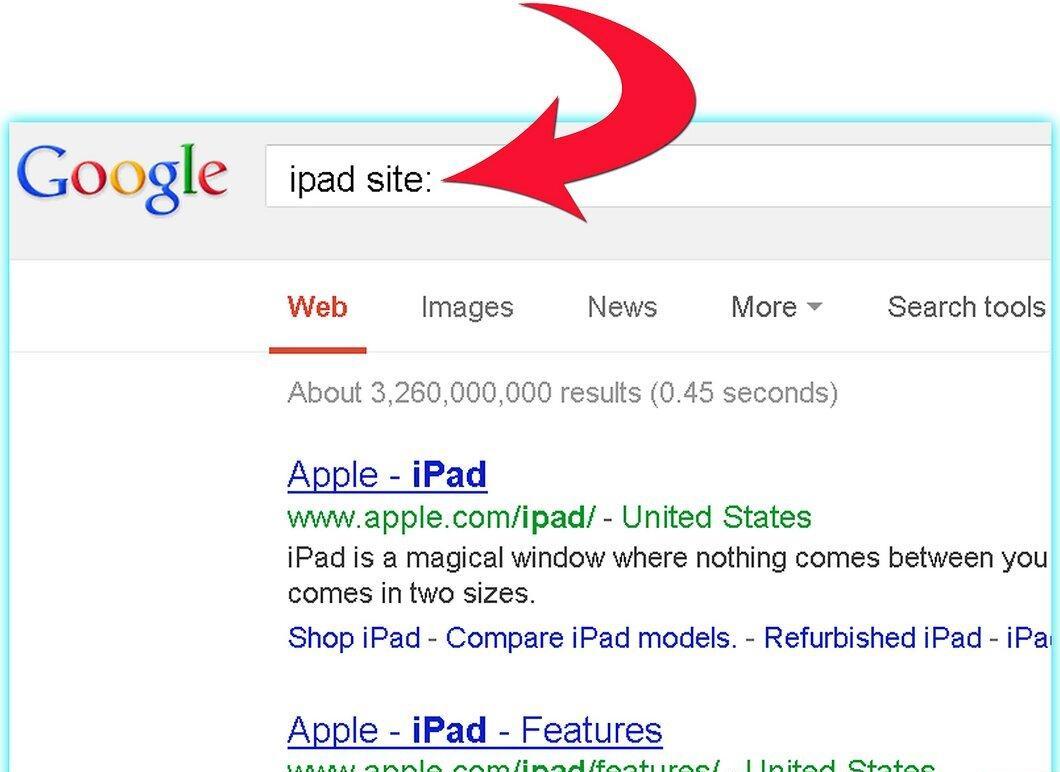
Define your search criteria. Type what you need in the search bar, whether it’s a job or items. Google makes this easy.
- After your keyword, add site:. This will help focus the results on sites from the top list. For example, type "ipad site:craigslist.org" (don’t forget to include ".org").
Step 3. Hit "Enter" to Start the Search.
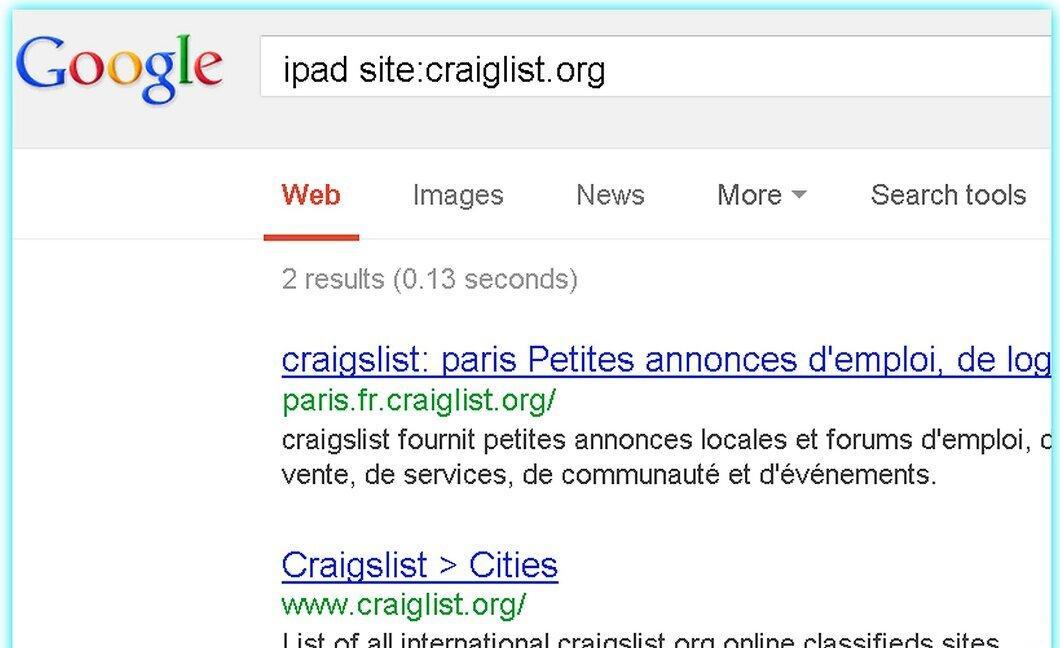
Press the "Enter" key to begin your search. A clear list of what you’re looking for and where to find it on Craigslist will appear on your screen:
Using a Specialized App
Step 1. Go to DailyLister.
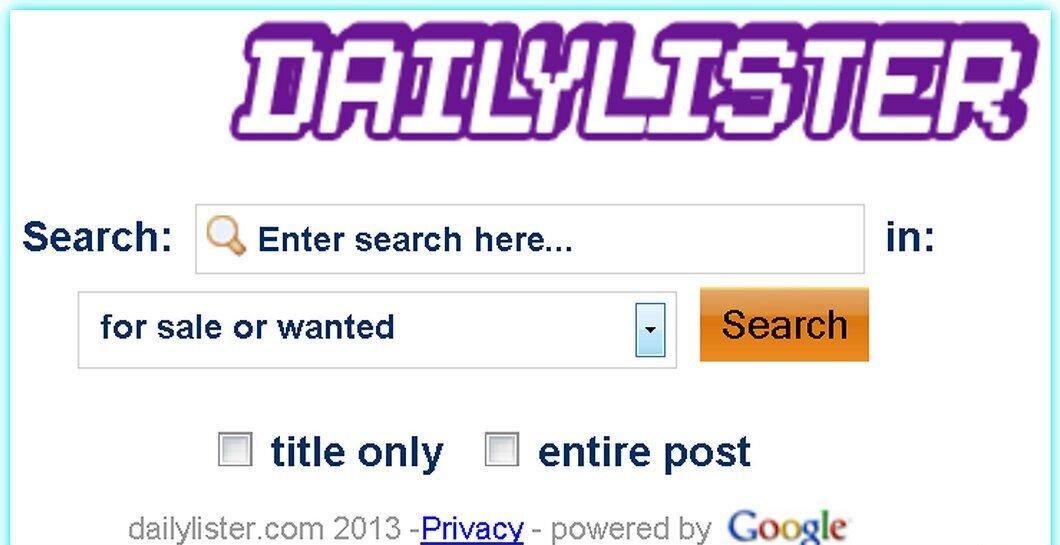
Visit the DailyLister website. This resource uses Google to find the information you need.
Step 2. Set Your Search Parameters.

Define your search parameters. Unlike the Google method, you don’t need to enter "site:craigslist.org" since DailyLister will do that for you.
Step 3. Start the Search.
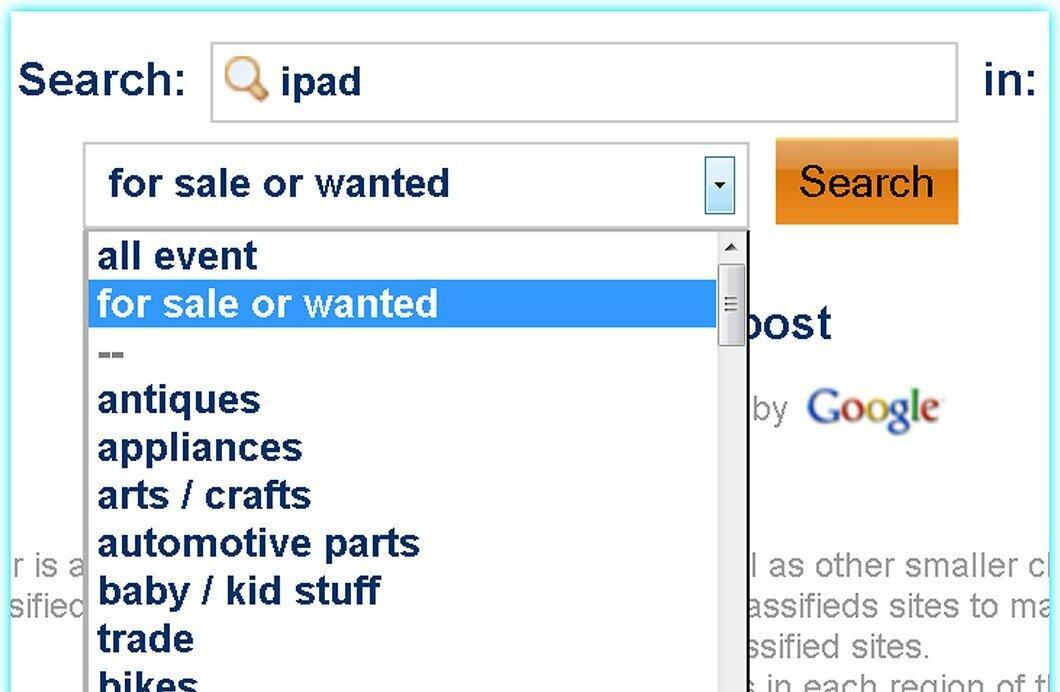
Initiate the search. While the results may differ from the previous method, they can be more useful due to the ability to search by categories.


