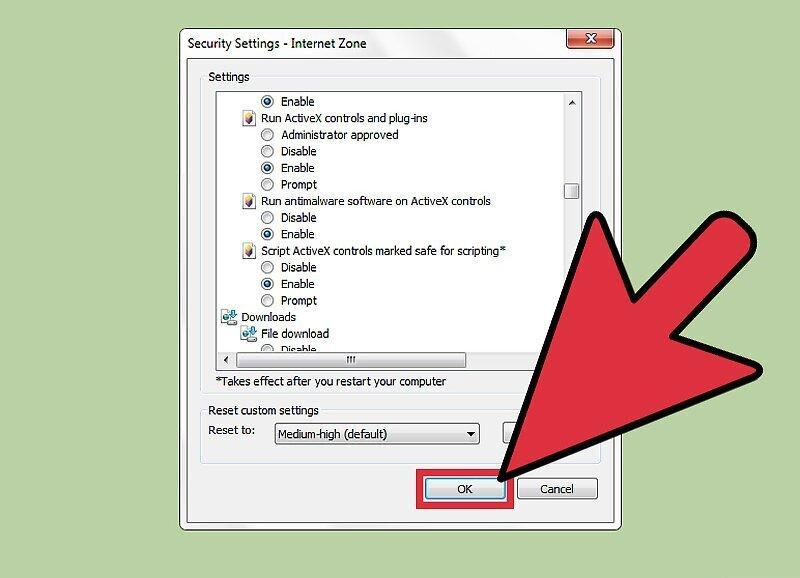
If you're using an older version of Internet Explorer, browsing modern websites can be quite challenging. Whenever you encounter a site that uses Adobe Flash or another type of web application, you'll need to manually enable ActiveX (the component that manages web applications in Internet Explorer). Otherwise, you won't be able to fully utilize the website at all. Fortunately, learning how to enable ActiveX is quite simple and shouldn't take more than a few minutes.
Part 1
Step 1. Click on the "Tools" option in the Internet Explorer toolbar.
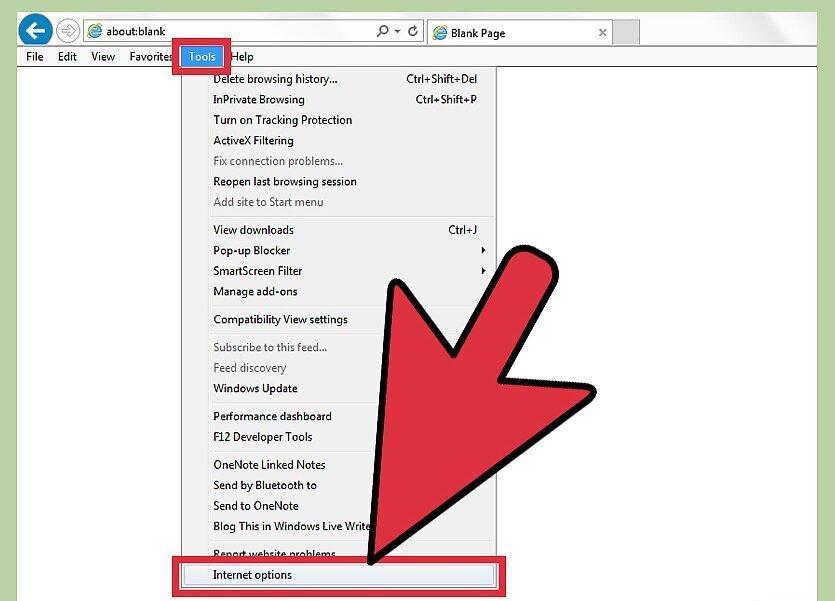
Click on the "Tools" option in the Internet Explorer toolbar. Scroll down to the "Options" menu.
Step 2. Click on "Security" and then select "Custom Level".
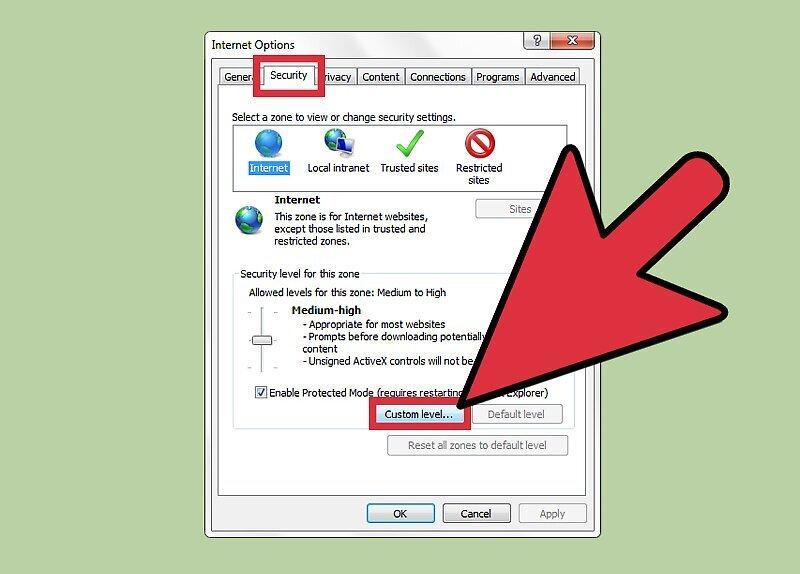
Step 3. Select "ActiveX Controls and Plug-ins".
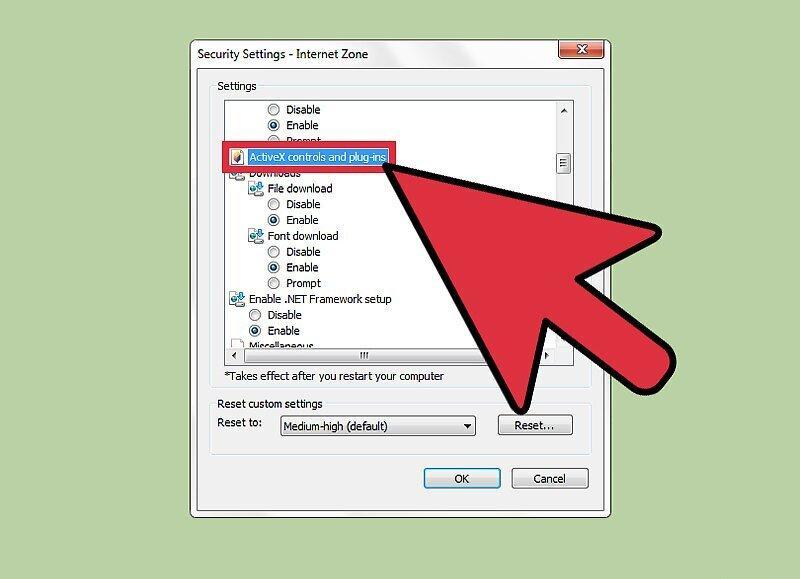
Step 4. Make sure the "ActiveX Controls and Plug-ins" option is enabled - "Enable".
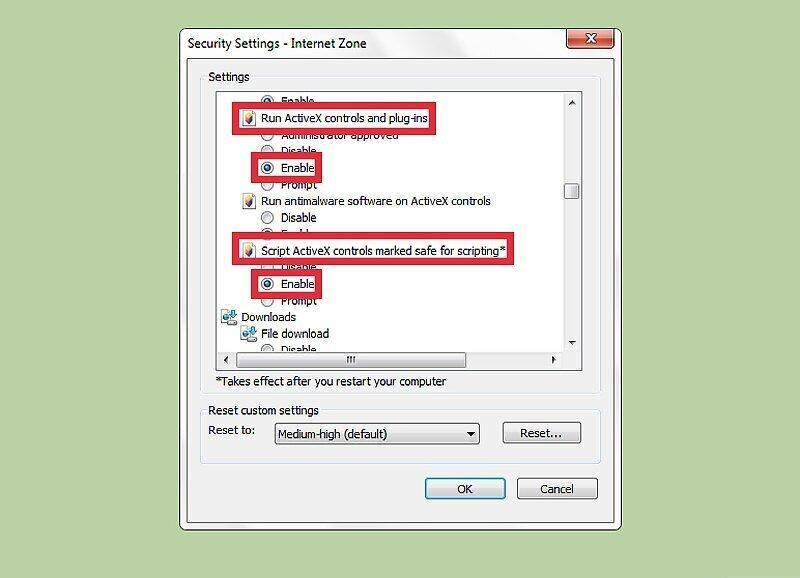
Ensure that the "ActiveX Controls and Plug-ins" option is enabled - "Enable". Also, enable the "Script ActiveX Controls Marked Safe for Scripting" option.
Step 5. Confirm the changes by clicking "Apply" to make them effective.