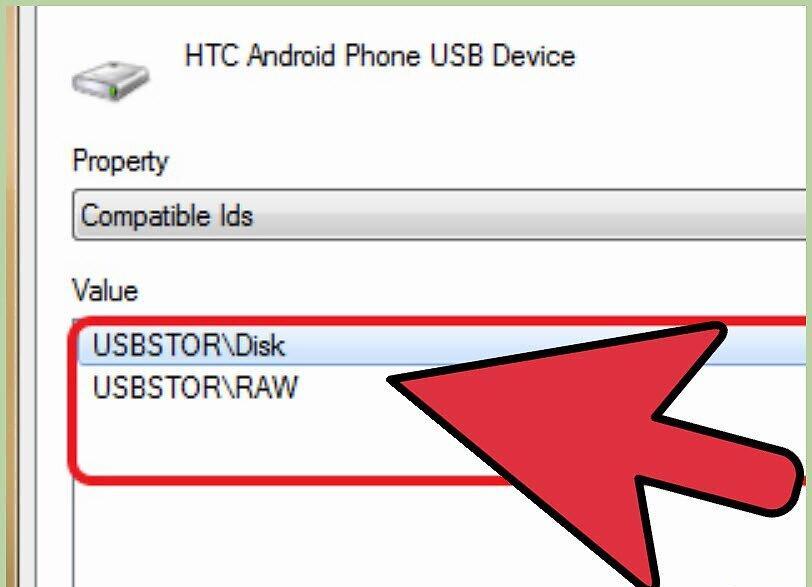
If you're facing driver installation problems in Moborobo, you may need to provide the development team with information about the hardware IDs.
Part 1
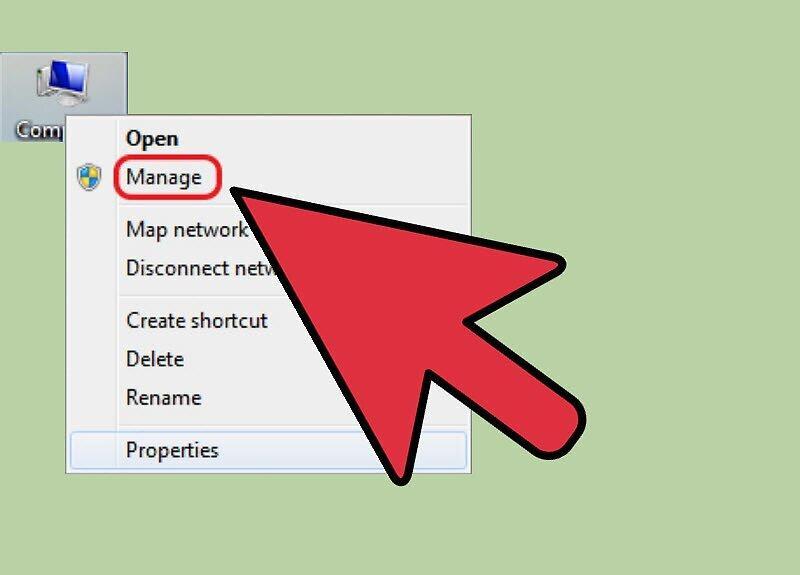
Step 1. Right-click on 'My Computer' and select 'Manage'.
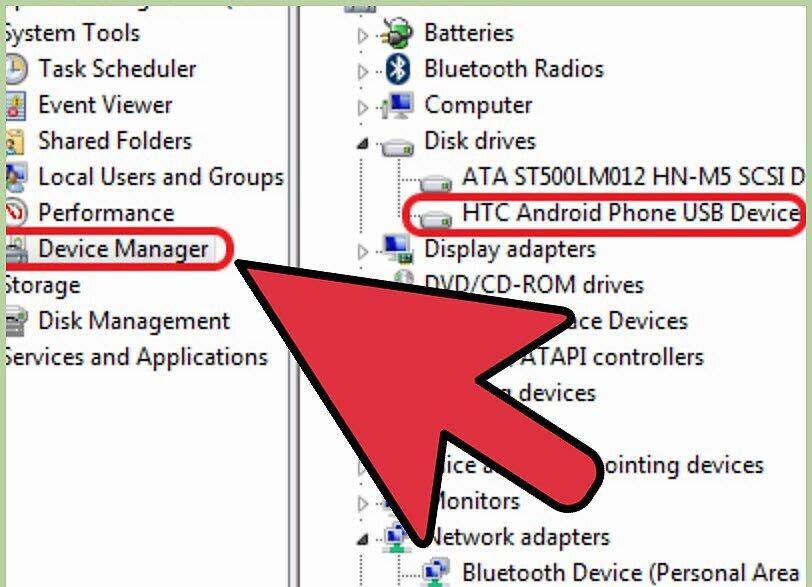
Step 2. Locate and open 'Device Manager', then select 'Android USB Device'.
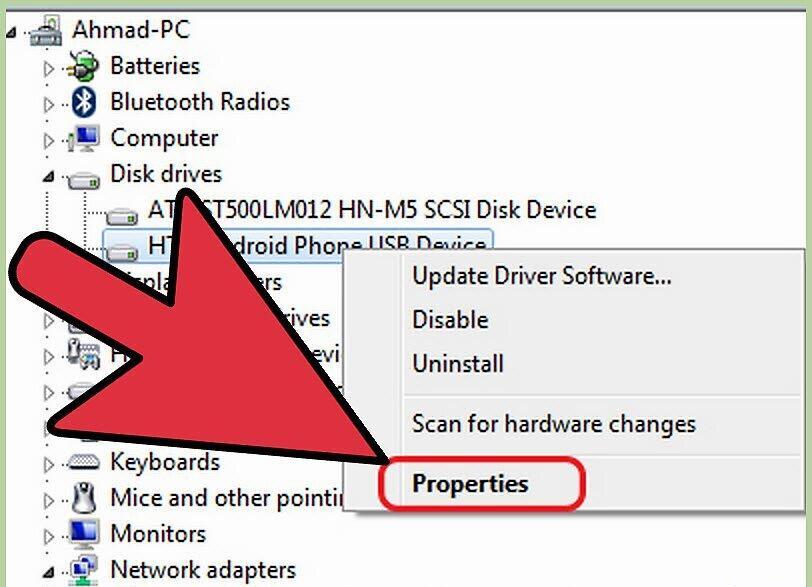
Step 3. Highlight the desired device and right-click on it.
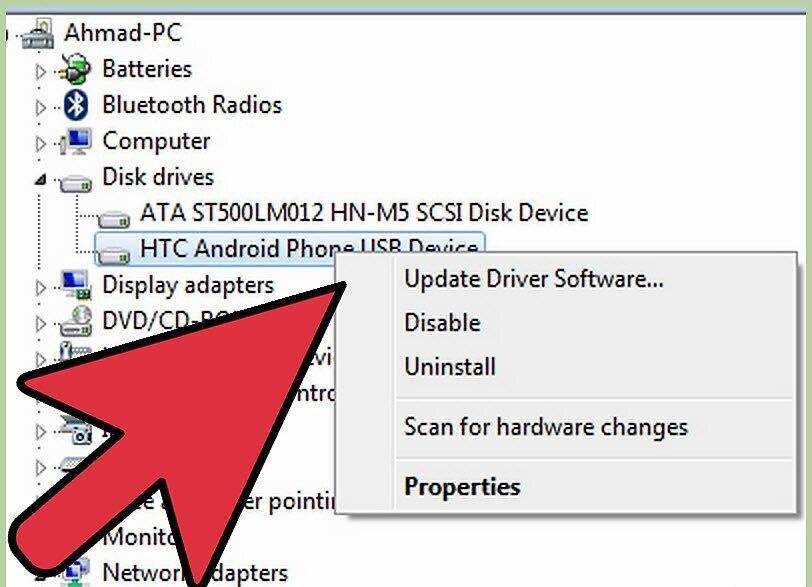
Step 4. In the context menu, select 'Properties'.
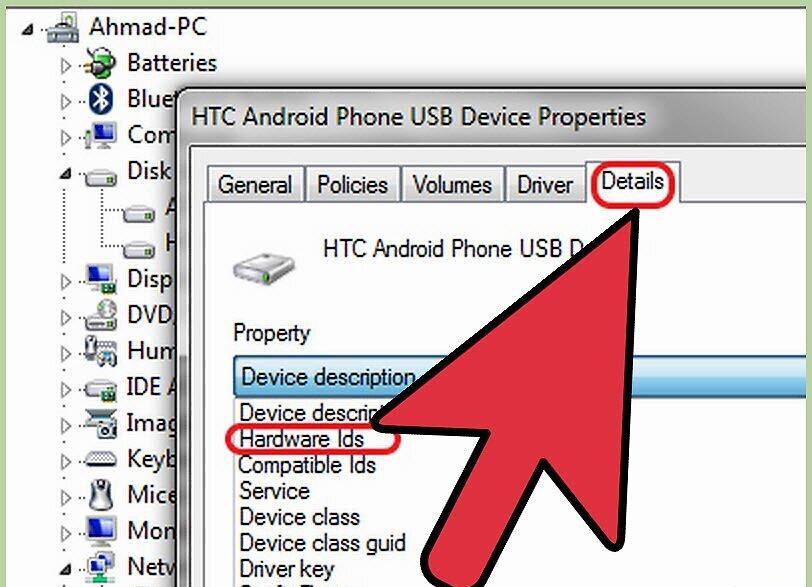
Step 5. Go to the 'Details' tab and select 'Device Description' to view the hardware IDs.
Step 6. Send the obtained hardware IDs to the Moborobo team.
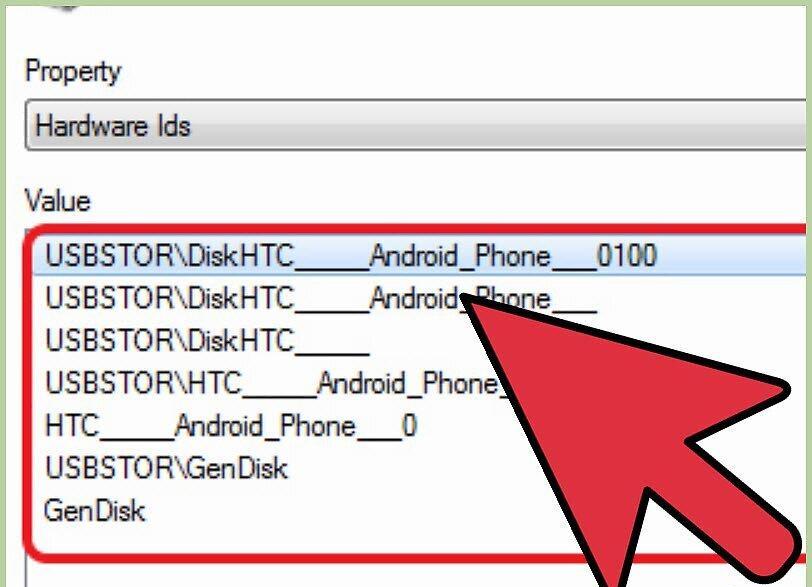
Step 7. If you're unable to find the IDs, send the Moborobo team information about compatible IDs.