
In this article, we will explore how to center text on your HTML website using CSS. The outdated <center> tag is no longer relevant and is not supported by most modern browsers.[1] Source
Using CSS
Step 1: Open your CSS stylesheet.
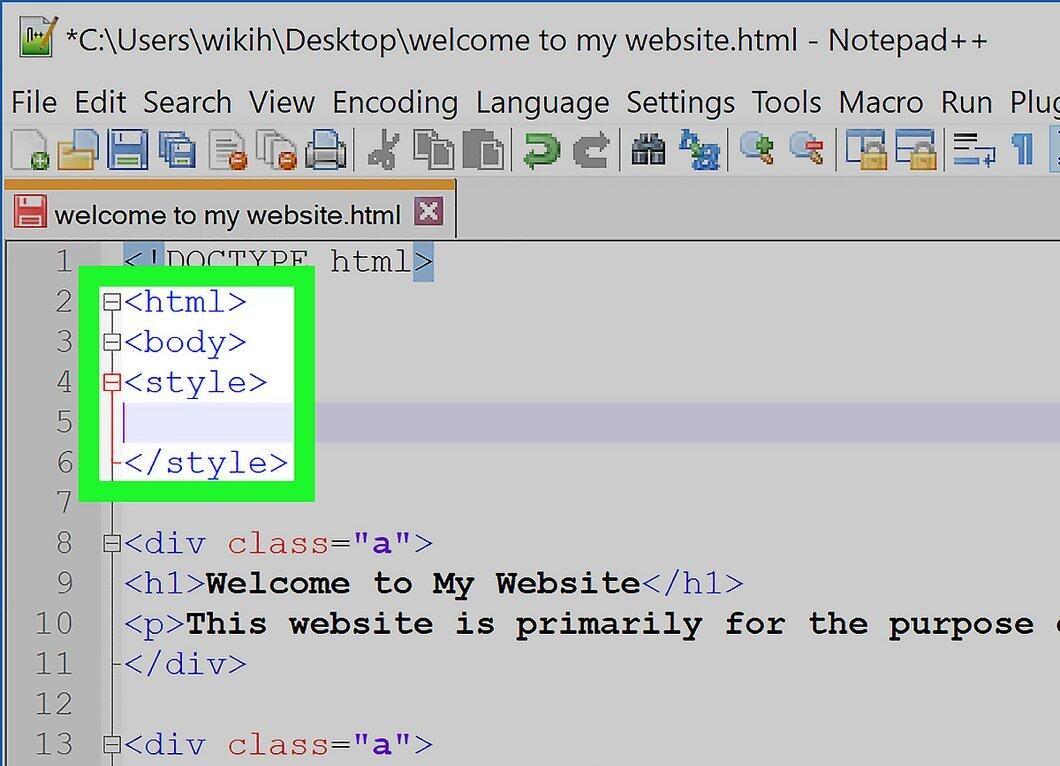
Launch your CSS file. Even though the <center> tag is no longer used, you can create a new element and add it to your page to center text within that element. If you don’t have a separate CSS file, check at the top of your HTML document between the <style> and </style> tags.
Using the Outdated Center Tag in HTML
Step 1: Open your HTML document.
Open your HTML document. This method describes the use of the outdated <center> tag, which reportedly still functions in some browsers, but it is likely to be completely phased out in the near future.
Step 2: Identify the text to center.
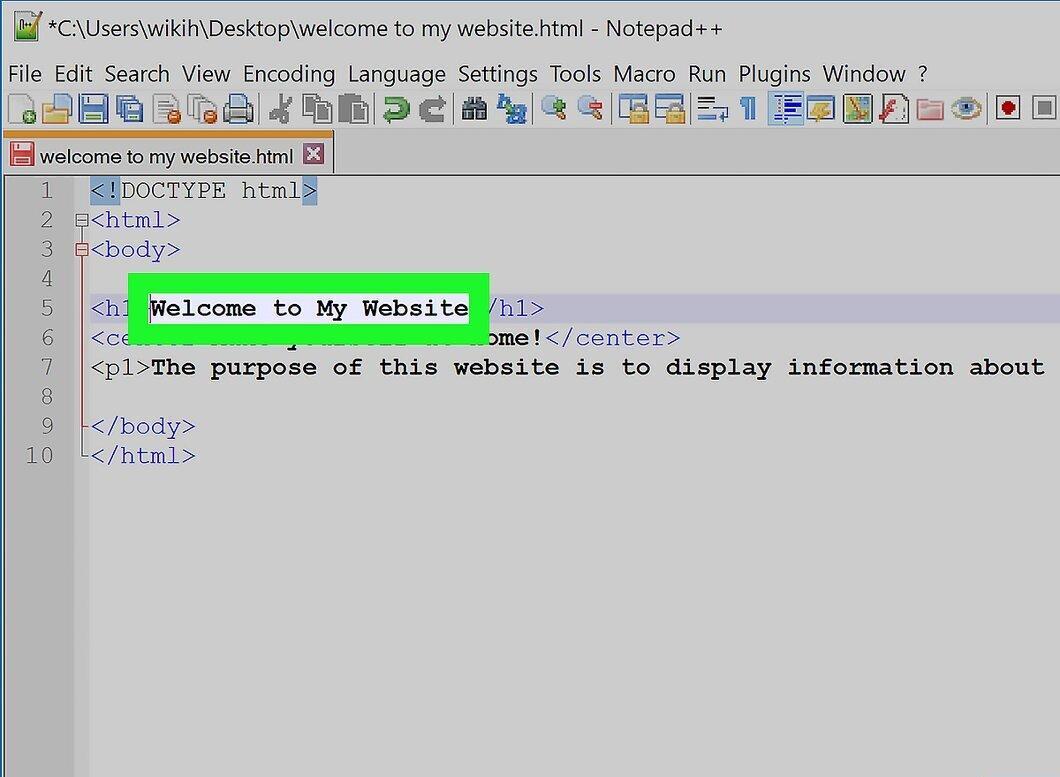
Determine the text you want to center. Scroll through the page to find the heading, paragraph, or other text that needs centering.
Step 3: Wrap the text with the "center" tag.
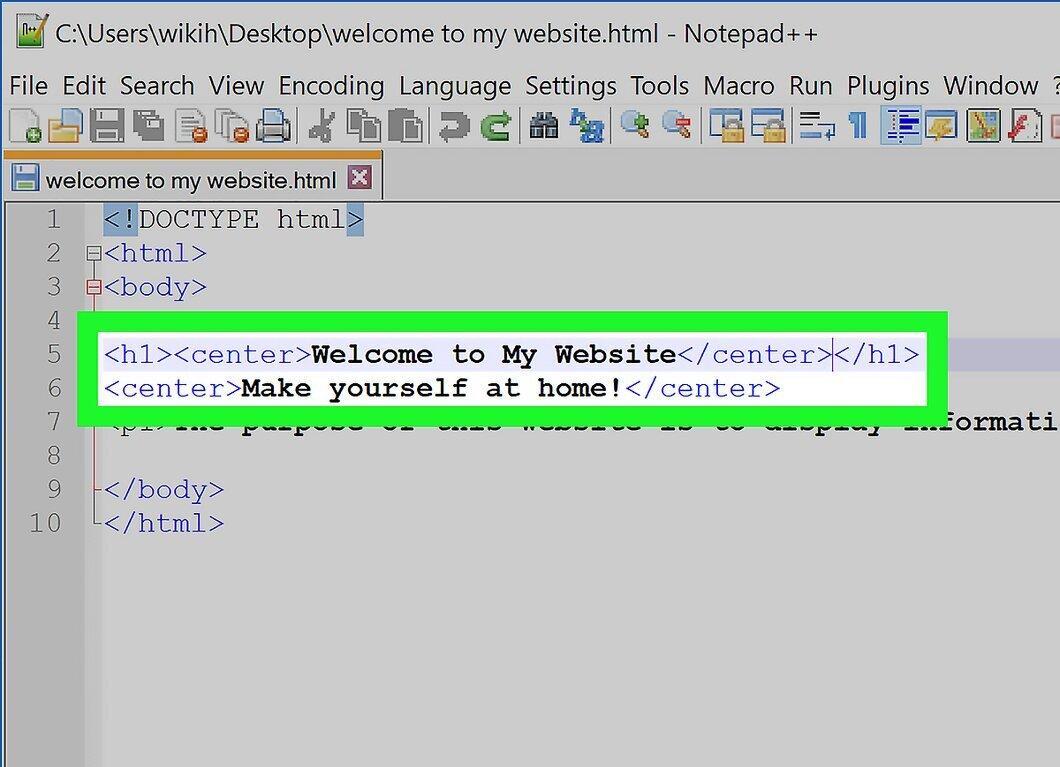
Add the "center" tag before and after the text. The format for the tag is <center>text</center>, where text is the content you want to center. If your text includes tags (like "<p></p>" for paragraphs), the "center" tags can be inserted outside the existing tags: <center><h1>Welcome to My Website</h1></center> <center>Make yourself at home!</center>
Step 4: Check your HTML document.
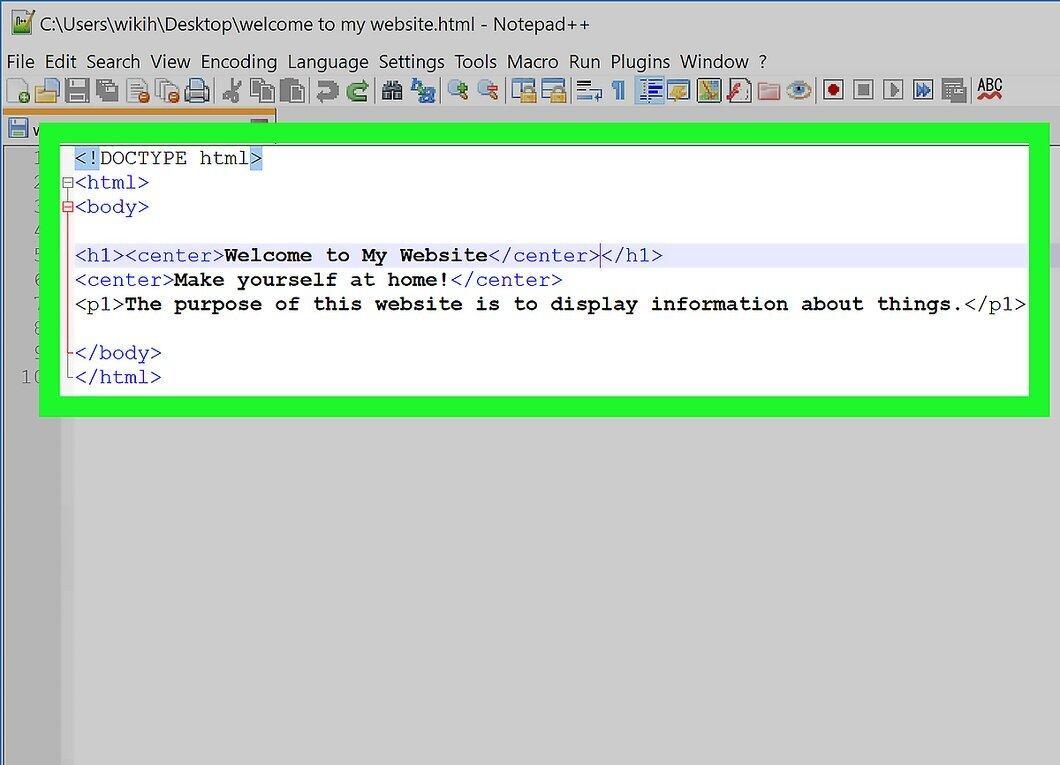
Review your HTML document. It should look something like this: <!DOCTYPE html> <html> <body> <h1><center>Welcome to My Website</center></h1> <center>Make yourself at home!</center> <p>On this site, you will find a lot of interesting information.</p> </body> </html>


